
Lenovo Legion Pro 7i Review for Students (2026): Who Needs It?
The Lenovo Legion Pro 7i Gen 10 is a superb desktop-replacement laptop for demanding engineering, 3D, video, game-development and CUDA work. It is also heavy, expensive, power-hungry and unnecessary for most schoolwork. This 2026 review shows exactly who gains from it—and who should buy something lighter.
 Legion Pro 7i RTX 5070 Ti
$1,893.42
Legion Pro 7i RTX 5070 Ti
$1,893.42
 Legion Pro 7i RTX 5090
$3,500.00
Legion Pro 7i RTX 5080
$2,699.00
Legion Pro 7i RTX 5090
$3,500.00
Legion Pro 7i RTX 5080
$2,699.00
 Legion Pro 7i 96GB 4TB
$4,399.68
Legion Pro 7i 96GB 4TB
$4,399.68
 Legion Pro 7i 64GB 4TB
$4,029.75
Legion Pro 7i 64GB 4TB
$4,029.75
 Legion 7i RTX 5070 White
$2,249.00
Legion 7i RTX 5070 White
$2,249.00
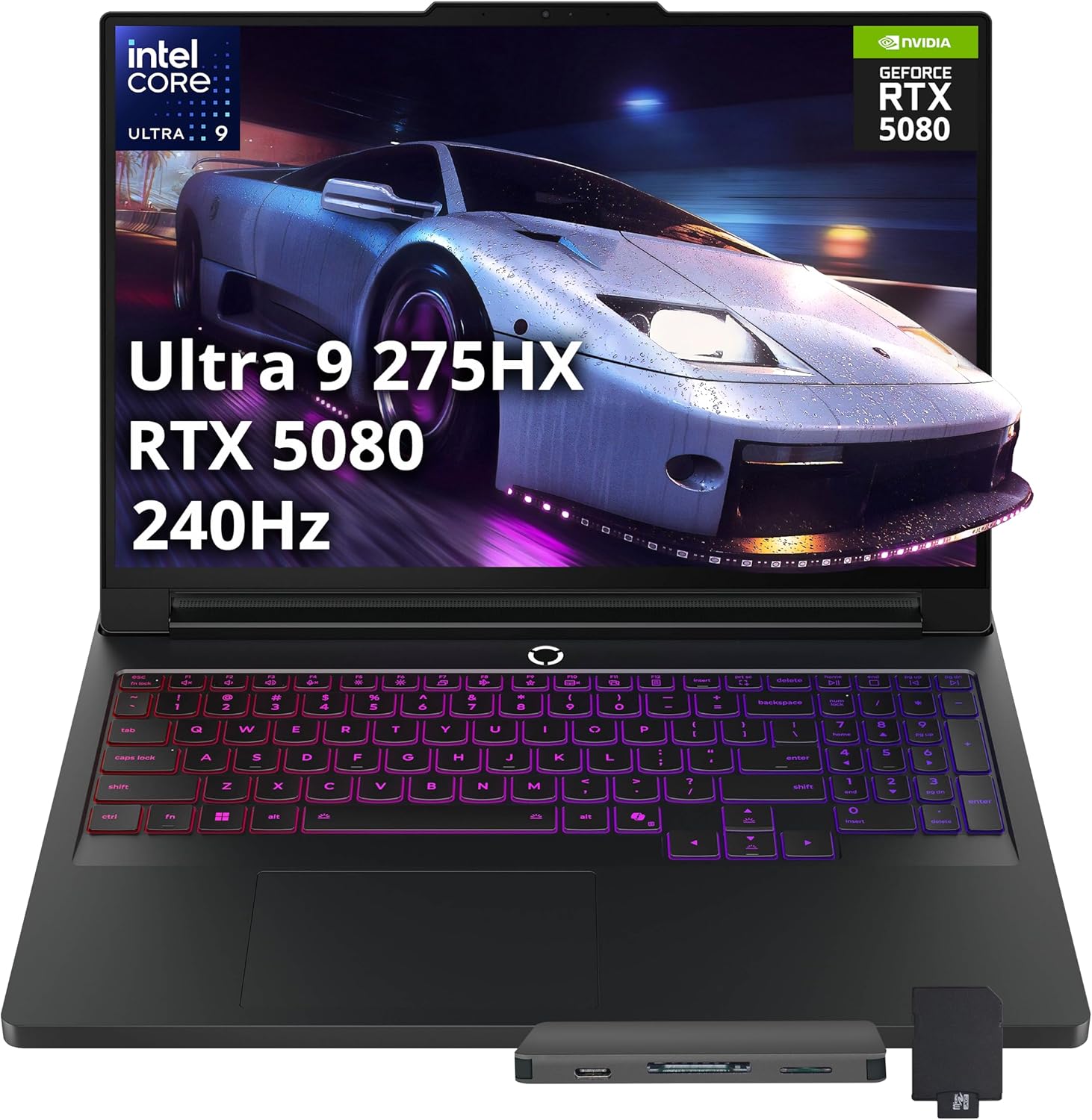 Legion Pro 7i 2TB Bundle
$2,899.00
Legion Pro 7i 2TB Bundle
$2,899.00
 Legion 7i Gen 10 1TB
$1,679.99
Legion 7i Gen 10 1TB
$1,679.99
 Legion Pro 7i 64GB 5070Ti
$2,999.00
Legion Pro 7i 3TB Bundle
$3,079.00
Legion Pro 7i 64GB 5070Ti
$2,999.00
Legion Pro 7i 3TB Bundle
$3,079.00
 Sponsored Ad – Amazon.com
What “2026 edition” actually means
This review evaluates the generation available in 2026; it does not claim the whole laptop launched this year. Lenovo announced the Legion Pro 7i Gen 10 at CES 2025 for March 2025 availability. Official listings remained live across major markets in August 2026.
The current Lenovo 16IAX10H PSREF includes newer Core Ultra 200HX Plus options. Intel launched the Core Ultra 9 290HX Plus in March 2026; that is a configuration refresh, not a new Legion generation. Our primary lab evidence uses the widely tested Core Ultra 9 275HX.
Lenovo Legion Pro 7i specifications
CPUs, GPUs, batteries, cameras and warranties vary. The seller’s exact part number is the final authority.
| Component | Primary configuration evaluated | Family options and cautions |
|---|---|---|
| Processor | Intel Core Ultra 9 275HX: 24 cores/24 threads, up to 5.4GHz | Core Ultra 7 255HX and newer Core Ultra 9 290HX Plus may appear by market |
| Graphics | GeForce RTX 5080 Laptop GPU, 16GB GDDR7, up to 175W TGP | RTX 5070 Ti 12GB up to 140W; RTX 5090 24GB up to 175W |
| Memory | 32GB DDR5-6400 dual-channel | Two CSODIMM slots; official maximum 64GB. Confirm installed modules |
| Storage | 1TB or 2TB NVMe SSD, depending on SKU | Two M.2 2280 slots: one PCIe 5.0 ×4 and one PCIe 4.0 ×4 |
| Display | 16-inch 2560×1600 OLED, 16:10, 240Hz, 500-nit SDR typical | Glossy, non-touch; 100% DCI-P3 claim, G-SYNC, Advanced Optimus, Dolby Vision |
| Battery / charger | 99.9Wh battery; 400W slim-tip adapter | 80Wh battery exists. USB-C PD is 95–100W; 140W requires Lenovo’s supported protocol/adapter |
| Size / weight | 364.38 × 275.94 × 21.9–26.65mm; starts at 2.57kg | Notebookcheck’s unit weighed 2.643kg; its power supply added 1.206kg |
| Ports | Thunderbolt 4, USB-C 10Gbps, three USB-A, HDMI 2.1, 2.5GbE and audio | No SD-card reader. Display and charging capability differ between the two USB-C ports |
| Wireless | Wi-Fi 7, Bluetooth 5.4 | Router, region and operating system affect available Wi-Fi bands |
| Camera / audio | 5MP webcam with e-shutter; four 2W speakers | Some listings use a 720p camera; no IR face login or fingerprint reader |
Lenovo PSREF data; cited RTX 5080 tests use a 275HX, 32GB RAM and 99Wh battery unless stated.
Which GPU makes sense for students?
RTX 50-series Laptop GPUs use Blackwell. A laptop RTX 5080 is not equivalent to a desktop RTX 5080.
| GPU | VRAM | Lenovo TGP | Best student fit | Main caution |
|---|---|---|---|---|
| RTX 5070 Ti Laptop | 12GB GDDR7 | Up to 140W | CAD coursework, Blender learning, game-development classes and high-refresh gaming | Lower VRAM ceiling for large scenes and local AI |
| RTX 5080 Laptop | 16GB GDDR7 | Up to 175W | Serious 3D, Unreal, 4K video, GPU rendering, CUDA projects and premium gaming | Expensive and dependent on wall power |
| RTX 5090 Laptop | 24GB GDDR7 | Up to 175W | VRAM-bound local ML, complex 3D scenes or funded specialist work | Poor value when the workload does not exceed 16GB |
Recommendation: choose the 5070 Ti when 12GB VRAM is enough, the 5080 for the best high-end balance, and the 5090 only for a measured need for 24GB. LaptopMedia recorded 296fps for the 5090 versus 261fps for the 5080 in one 1600p Counter-Strike 2 test—a 13% gain, not a universal ratio.
Design, portability and everyday student use
The aluminum chassis feels premium and looks restrained with RGB disabled, though it collects fingerprints. Notebookcheck measured 2.643kg for the laptop and 1.206kg for its adapter: roughly 3.85kg before accessories. Daily commuters should treat that as a central buying issue.
- 2.643kgLab-tested laptop weight
- 1.206kg400W power supply
- 240HzOLED refresh rate
- 5h 23mLab WLAN runtime
OLED display: excellent, with real caveats
The 16:10 panel adds vertical workspace. Lenovo specifies 2560×1600, 240Hz, 500-nit SDR, G-SYNC and DisplayHDR True Black 1000. Notebookcheck measured 497.8 nits SDR, 970 nits HDR, 99.5% Display P3 and 0.43ms black-to-white response—excellent for color work and gaming.
It is glossy and non-touch. Notebookcheck detected 1,438Hz PWM; flicker-sensitive buyers should view the exact unit. Reduce cumulative burn-in risk with screen timeout, hidden static bars, varied content and moderate brightness. Check whether the warranty covers the OLED panel.
Keyboard, touchpad, webcam and speakers
The TrueStrike keyboard has 1.6mm travel, full-size arrows, a narrow number pad and per-key RGB. The touchpad tracks well but clicks shallowly. A 5MP webcam and shutter suit classes, though there is no biometric login. The four speakers are balanced; headphones remain better in shared rooms.
Ports and charging
Thunderbolt 4, a second USB-C, three USB-A, HDMI 2.1, 2.5GbE and audio cover most setups. Unlike some summaries—including FrediTech’s detailed review—Lenovo does not list an SD-card reader, illustrating why configuration claims need primary-source checks.
Standard USB-C PD reaches 95–100W for light work. Lenovo’s 140W mode needs compatible Lenovo support; use the 400W adapter for full performance.
Performance: what students actually gain
The Core Ultra 9 275HX has 24 cores/threads and a 160W maximum turbo power. It is Arrow Lake HX, while the RTX 50 Laptop GPUs are Blackwell—important corrections when comparing tests.
- 64fpsAssassin’s Creed Shadows, 1920×1080 Ultra HighNotebookcheck; RTX 5080, Performance mode, discrete GPU. One game and test build only.
- 55fpsAssassin’s Creed Shadows, 2560×1440 Ultra HighNotebookcheck; same RTX 5080 test system and methodology.
- 0.43msOLED black-to-white responseNotebookcheck panel measurement; individual panels can vary.
- 45–46dBASustained CPU workload in Performance modeUltrabookReview; 160–170W early sustained CPU behavior around 90°C.
Do not average unrelated tests. FrediTech shows how DLSS and Lenovo’s modes change results; Notebookcheck and UltrabookReview use different workloads and acoustics. Frame generation improves supported-game smoothness but is not equivalent to the same native frame rate.
Everyday work and computer science
Office, PDFs and Zoom gain little over a mid-range laptop. The Pro 7i matters for several containers, emulators, databases, VMs or repeated large compiles. Choose 32GB RAM for that pattern; introductory coding alone does not justify an RTX 5080.
Engineering, architecture and 3D work
The 16GB RTX 5080 suits CAD, Revit, MATLAB, Blender, Unreal and simulation, though Revit 2026 requirements show that many projects need less. GeForce lacks the certifications, ECC options and support of RTX PRO workstations; ask your department what it requires.
AI, machine learning and data science
CUDA supports PyTorch, TensorFlow, vision and local models, but VRAM remains the limit: 12GB, 16GB or 24GB does not guarantee a workload fits. Buy for the NVIDIA GPU, not NPU TOPS. Cloud notebooks or campus clusters may make a lighter laptop cheaper.
Video, design, game development and gaming
The 5080 excels in Blender Cycles, Unreal, Adobe effects and 4K timelines. Adobe recommends 32GB+ RAM and 8GB VRAM for 4K Premiere work; a second SSD helps with media. It is excessive for ordinary photo or 1080p editing.
Native 1600p gaming is a strength. Use Balanced mode for quieter spaces and Performance when needed; ray-traced games may need DLSS or adjusted settings. Always plug in.
Thermals, fan noise, power and battery life
The 250W-capable vapor-chamber system sustains speed but is not quiet. Notebookcheck recorded 54.2dBA in Cyberpunk 2077, 53.9dBA maximum load and a 42.6°C top-surface peak. UltrabookReview’s CPU-only test measured 45–46dBA; different workloads and modes explain the gap.
Notebookcheck measured about 320W at the wall in Cyberpunk and 384W maximum load. Keep vents clear and use a rigid stand, never a soft bed.
With a 99Wh battery, Balanced mode and integrated graphics, Notebookcheck measured 5 hours 23 minutes of WLAN browsing and 48 minutes at maximum-brightness load. Charging took about 90 minutes. The 80Wh option will differ.
RAM, storage, serviceability and software
Two replaceable CSODIMM slots and two M.2 2280 slots beat soldered alternatives. One SSD slot supports PCIe 5.0 ×4, the other PCIe 4.0 ×4. An extra internal plate and third-fan cable require care; follow Lenovo’s manual and local warranty rules.
For demanding students, 32GB RAM and 2TB total storage are practical. Choose 64GB only for VMs, Revit, After Effects or datasets already exceeding 32GB. PCIe 4.0 storage is fast enough for most coursework.
| Workload | Fit | Suggested configuration | Important check |
|---|---|---|---|
| Microsoft 365, Google Workspace, PDFs | Effortless, but overkill | Buy a lighter laptop instead | Battery and portability matter more |
| VS Code, Docker, VMs, Android Studio | Excellent | 32GB RAM; 5070 Ti or 5080 if GPU work | Linux/WSL and virtualization requirements |
| Revit, SolidWorks, MATLAB, CAD | Strong | 32–64GB; 5070 Ti/5080 | ISV certification and department policy |
| Blender, Unity, Unreal Engine | Excellent | 5080 16GB; 64GB for large projects | Scene size and renderer support |
| Premiere Pro, After Effects, 4K media | Excellent | 32–64GB; 5080; second SSD | Codec, cache and external-backup plan |
| PyTorch, CUDA, local generative AI | Strong but VRAM-bound | 5080 16GB or 5090 24GB | Exact model, precision and batch-size memory use |
Vantage and LegionSpace manage firmware, charging and performance. Use NVIDIA Studio drivers for creator stability or Game Ready drivers for new games. Security includes TPM 2.0, BIOS protections and a webcam shutter, but no biometrics.
Is it sensible for your major?
| Student type | Verdict | Why | Smarter baseline |
|---|---|---|---|
| Humanities, education, law, business | Usually no | Office and research do not exploit the GPU | 16GB ultrabook with long battery life |
| Computer science / software engineering | Conditional | Great for many VMs, compiles and GPU development | 32GB laptop; dedicated GPU only if required |
| Mechanical, civil, electrical engineering | Often strong | Sustained CPU/GPU power helps simulations and visualization | Verify software and certification first |
| Architecture, animation, game development | Excellent when desk-based | OLED, VRAM and cooling suit large visual projects | RTX 5080 with 32–64GB RAM |
| AI / machine learning | Useful, not automatic | CUDA is valuable; local VRAM remains limited | Compare cloud/cluster cost with 16GB or 24GB VRAM |
| Film and content creation | Strong | Fast exports, good HDR panel and upgradeable storage | RTX 5080, second SSD and calibrated workflow |
If weight keeps it at home, performance is irrelevant. Compare the Acer Aspire 5 review and budget laptop guide. They cannot match the Legion’s rendering speed, but suit typical coursework better.
Price, worldwide availability and total cost
On 12 August 2026, Lenovo US showed an RTX 5080/32GB listing at US$3,599.99; Lenovo Germany listed a 64GB/1TB RTX 5080 model at €3,799. Official pages were live in Canada, the UK and Australia, but dynamic prices were not consistently exposed. These snapshots exclude local tax differences and are not currency conversions.
Lenovo Education offers verified pricing by market; Australia advertised up to 20% off everyday prices when checked. Eligibility and code stacking vary, so compare final checkout totals.
Budget for a backpack, mouse, travel charger, second SSD, backup and protection. OLED or motherboard repairs can be expensive.
When the value works
- It replaces a powerful desktop and a separate creator machine.
- Your projects regularly earn back rendering or compilation time.
- You also value premium 1600p gaming.
- You have reliable mains power and a mostly fixed workspace.
When it does not
- Your heaviest task is a browser, Office or introductory coding.
- You need eight-plus hours away from an outlet.
- You already own a strong desktop.
- The purchase would reduce funds for tuition, software or reliable backup.
Four realistic student scenarios
Which Legion Pro 7i configuration should a student buy?
- Minimum worth considering: RTX 5070 Ti, 32GB RAM and 1TB SSD—only when its price is clearly below an RTX 5080 model.
- Best value within this premium family: Core Ultra 9 275HX or 290HX Plus, RTX 5080 16GB, 32GB RAM and 2TB total storage.
- Demanding engineering/creative work: RTX 5080 with 64GB RAM and two SSDs, after confirming that the workflow uses the memory.
- Serious local AI or huge 3D scenes: RTX 5090 24GB only when 16GB is a measured blocker and cloud access is unsuitable.
- Hardest to justify: a maxed-out RTX 5090 purchased for Office, light coding or “future-proofing.”
Upgradeable RAM and SSDs favor buying enough GPU now and expanding later. Lifespan depends on thermals, battery, parts and software; three to five years is a planning range, not a promise. Keep backups, cap charge when desk-bound and follow good laptop care.
Pros and cons
Strengths
- Exceptional sustained CPU and RTX performance
- Fast, bright and color-rich 240Hz OLED
- Replaceable RAM and two M.2 SSD slots
- Excellent ports, Wi-Fi 7 and 2.5Gb Ethernet
- Strong keyboard and effective cooling
Weaknesses
- Short battery life for campus use
- Heavy laptop plus very heavy 400W charger
- High price and electricity use
- Glossy OLED needs sensible static-content care
- No SD reader, biometric login or workstation certification
Current alternatives to compare
US snapshots checked 12 August 2026; verify your market’s part number, tax, warranty and return policy.
| Model and configuration | Price checked | Main advantage | Main weakness | Best for |
|---|---|---|---|---|
| Legion Pro 5i Gen 10, RTX 5070 Ti | US$2,519.97 | Lower cost with strong QHD performance | Less GPU power and VRAM | Engineering and gaming on a tighter budget |
| ROG Zephyrus G14, RTX 5060, 16GB/1TB | US$1,599.99 | Much lighter and cheaper | 16GB memory and lower sustained GPU power | Mobile students who game |
| ROG Zephyrus G16 (2026), RTX 5080, 32GB/1TB | US$4,399.99 | Thinner premium 16-inch design | Very high price; less desktop-replacement value | Creators prioritizing portability |
| HP Omen Max 16, RTX 5080, 32GB/2TB | US$4,019.99 | Comparable high-end performance and OLED | Also heavy, loud and expensive | Buyers comparing sales and support |
| MacBook Pro 16, M5 Pro, 24GB/1TB | US$2,799 education | Far better unplugged efficiency and excellent media workflow | No NVIDIA CUDA; some engineering apps are Windows-only | Film, design and macOS-compatible courses |
| ThinkPad P1 Gen 9 with RTX PRO graphics | Configure/quote by market | Professional graphics and ISV-focused support options | Can cost more for less gaming speed | Courses requiring workstation certification |
Without a dedicated-GPU need, compare student 2-in-1s. Also see guides for engineering laptops, data-science tools and science apps.
30 questions to ask before buying
- Is this definitely the Gen 10 / 16IAX10H?
- What is the complete Lenovo part number?
- Which exact Core Ultra processor is installed?
- Which exact RTX Laptop GPU is installed?
- What is Lenovo’s listed GPU TGP?
- Does it have 12GB, 16GB or 24GB VRAM?
- How much RAM is installed today?
- Is the memory in one or two modules?
- Can I upgrade it without losing warranty coverage?
- How much SSD storage is actually installed?
- Is the second M.2 slot empty?
- Is the display the 240Hz OLED panel?
- Am I sensitive to glossy screens or PWM?
- Will static-content OLED care suit my workflow?
- Does it have the 80Wh or 99.9Wh battery?
- Can I accept roughly five hours of light use?
- Can I carry the laptop and 1.2kg charger?
- Will USB-C power cover my light campus work?
- Does my charger support Lenovo’s required protocol?
- Which keyboard layout and plug are supplied?
- What warranty and battery coverage are included?
- Is accidental-damage protection worth the cost?
- Is verified education pricing available locally?
- Will discounts stack at checkout?
- Will my academic software use CUDA or RTX?
- Does it require certified professional graphics?
- Do I truly need RTX 5080 or 5090?
- Would a desktop plus ultrabook work better?
- Can my room and classmates tolerate the fan noise?
- What is the final cost with backup and protection?
Student value scorecard
1 Poor2 Weak3 Acceptable4 Strong5 Excellent
| Area | Score | Reason |
|---|---|---|
| Basic schoolwork | 5 | Effortless, although hardware is wasted |
| Coding | 5 | Fast tools, compiles and multitasking |
| Software development | 5 | Excellent for containers and VMs |
| Engineering | 5 | Strong sustained CPU/GPU performance |
| CAD | 4 | Fast, but GeForce is not RTX PRO |
| 3D rendering | 5 | High-power CUDA GPU and ample VRAM |
| Video editing | 5 | Fast media engines, OLED and storage expansion |
| AI / machine learning | 4 | Useful CUDA; still VRAM-limited |
| Gaming | 5 | Excellent 1600p performance and 240Hz panel |
| CPU performance | 5 | Elite sustained HX-class speed |
| GPU performance | 5 | 175W RTX 5080 implementation |
| Display | 5 | Bright, fast and wide-gamut OLED |
| Keyboard | 4 | Good travel, arrows and numpad |
| Touchpad | 3 | Accurate, but shallow click |
| Webcam | 3 | 5MP is useful; no IR |
| Speakers | 4 | Balanced four-speaker output |
| Ports | 5 | TB4, HDMI, Ethernet and ample USB |
| Networking | 5 | Wi-Fi 7 and 2.5GbE |
| Battery | 2 | Not an all-day campus machine |
| Portability | 1 | Nearly 3.85kg with main adapter |
| Fan noise | 2 | Very audible under GPU load |
| Thermals | 4 | Effective cooling and cool palm rest |
| RAM upgradeability | 5 | Two replaceable slots, up to 64GB |
| SSD upgradeability | 5 | Two M.2 slots, including PCIe 5.0 |
| Repairability | 3 | Accessible, but extra plate and fan cable |
| Price | 1 | Far above mainstream student budgets |
| Student discount potential | 4 | Education programs exist in major markets |
| Value for ordinary students | 1 | Capability does not equal useful value |
| Value for demanding STEM / creative students | 4 | Excellent if workloads use the hardware |
Should students buy the Lenovo Legion Pro 7i in 2026?
Yes—conditionally. Buy it for regular 3D rendering, complex game development, demanding video, engineering or local CUDA work. The RTX 5080/32GB model is the best balance; add 64GB or a 5090 only for a measured bottleneck.
Skip it for documents, research, online classes, basic coding or cloud labs—and when you need all-day battery, quiet operation or easy commuting.
Frequently asked questions
Is the Lenovo Legion Pro 7i a good laptop for students?
It is excellent for students doing demanding 3D, engineering, video, game-development or CUDA work. It is a poor-value choice for ordinary assignments because cheaper laptops handle documents, browsing, presentations and basic coding equally well while weighing less and lasting longer on battery.
Is the Legion Pro 7i reviewed here a new 2026 model?
No. The current Gen 10 / 16IAX10H platform launched in 2025 and remains sold in 2026. Lenovo’s current specification also includes newer 2026 Core Ultra 200HX Plus processor options. Treat those as configuration updates unless Lenovo identifies a different generation.
Which Legion Pro 7i configuration should a student buy?
For genuinely demanding work, the RTX 5080 16GB model with 32GB RAM and 2TB total storage is the best balance. The 5070 Ti can save money when 12GB VRAM is enough. Choose 64GB RAM or the RTX 5090 only after a real project shows that you need it.
Is the Legion Pro 7i good for engineering students?
Yes, especially for simulation, visualization, CAD and rendering. However, software such as SolidWorks or specialized lab tools may prefer certified professional graphics or a department-approved system. Check your course requirements before assuming a fast GeForce gaming GPU is the same as an RTX PRO workstation GPU.
Is it good for programming and computer science?
It is very capable for large compiles, containers, emulators, virtual machines and GPU programming. For web development, introductory Python, Java and general VS Code work, it is unnecessary. A lighter laptop with 16GB or 32GB RAM can be a better campus choice.
Can the Legion Pro 7i run local AI and machine-learning workloads?
Yes. NVIDIA CUDA support makes it useful for common ML frameworks, but the workload must fit the GPU’s VRAM: 12GB on the 5070 Ti, 16GB on the 5080 or 24GB on the 5090. Model architecture, precision, context and batch size all affect memory use.
How long does the Legion Pro 7i battery last?
Notebookcheck measured 5 hours 23 minutes of WLAN browsing on a 99Wh RTX 5080 unit using Balanced mode and integrated graphics, and 48 minutes under maximum-brightness load. Your runtime will vary. It is best treated as a plug-in desktop replacement rather than an all-day laptop.
Can it charge through USB-C?
Yes. Standard USB Power Delivery supports roughly 95–100W, which is useful for light work. Lenovo’s 140W mode requires compatible Lenovo charging support. Neither supplies the same full-load headroom as the 400W slim-tip adapter, so use the main charger for gaming, rendering and sustained GPU work.
Will the OLED display suffer burn-in?
OLED burn-in is a cumulative risk, not a guaranteed failure. Reduce it by using screen timeout, auto-hiding static interface elements, varying content and avoiding maximum brightness for long static sessions. Check the seller’s display warranty, particularly if your daily work keeps the same IDE or toolbar visible for hours.
Can the RAM and SSD be upgraded?
Yes. Lenovo specifies two replaceable DDR5 CSODIMM slots with up to 64GB supported and two M.2 2280 SSD slots. One M.2 slot supports PCIe 5.0 ×4 and the other PCIe 4.0 ×4. Check the maintenance manual and your local warranty terms before opening it.
Is the RTX 5090 version worth it for students?
Usually not. Its strongest justification is the 24GB VRAM for local AI, very large 3D scenes or other memory-bound work. Students whose projects fit within 16GB will generally receive better value from the RTX 5080. Do not pay the premium solely for a higher model number.
How loud does the Legion Pro 7i get?
It can become loud under sustained GPU load. Notebookcheck recorded 54.2dBA in Cyberpunk 2077 and 53.9dBA maximum load, while a different CPU-heavy test at UltrabookReview measured about 45–46dBA. Mode, workload, room noise and measurement distance explain much of the difference.
Research methodology and disclosure
This research guide does not claim first-hand testing. We compared Lenovo, Intel and NVIDIA documentation, software requirements, live listings and named independent tests. FrediTech informed the discussion of modes, display, upgrades, weight and battery; claims were cross-checked against primary or lab sources.
Prices were checked 12 August 2026. Benchmarks describe their tested conditions, not guarantees. The article contains no paid placement, affiliate links or fabricated ratings.
Sources and further reading
- Lenovo Legion Pro 7i Gen 10 product page and official 16IAX10H PSREF
- Lenovo Gen 10 launch announcement
- Intel Core Ultra 9 275HX specifications and Core Ultra 200HX Plus announcement
- NVIDIA GeForce RTX 50 Series Laptop GPU specifications
- Notebookcheck Legion Pro 7i Gen 10 laboratory review
- UltrabookReview Legion Pro 7i Gen 10 testing and LaptopMedia GPU comparison
- FrediTech’s Lenovo Legion Pro 7i review and performance overview
- Adobe Premiere system requirements, Autodesk Revit 2026 requirements and Blender GPU rendering documentation
Editorial note: Product configurations, drivers, prices, discounts and warranties can change. Re-check the manufacturer’s specification for the exact part number before purchase.