
Best Tech Dorm Essentials 2026 – Must‑Have Gadgets for College Students
College life in the 2020s is inseparable from technology. As coursework moves online and communication happens through apps, the right gadgets can turn a cramped dorm room into a productive, comfortable and safe living space. A 2024 survey of U.S. students found that 96 % of college students own a laptop, with Apple’s MacBook Air accounting for 45 % of laptops used in U.S. colleges and Lenovo models leading global student preferences (23 %)electroiq.com. That statistic underscores how central technology has become to learning. This guide helps you choose the best tech dorm essentials for 2026, offering step‑by‑step explanations, real‑world examples and facts backed by credible research. Internal links to related pages on NotesForSHS.com are included for further reading.
Why Tech Essentials Matter in College
Enhancing productivity and mental health
College campuses are vibrant, but that energy can create distractions. Noise from roommates, hallways or urban streets often disrupts concentration and sleep. Noise‑canceling headphones have become a must‑have gadget because they block background sounds while allowing you to listen to music or white noise. Students interviewed for EdTech Magazine said noise‑canceling devices are preferred for their ability to deliver audio while filtering out campus noiseedtechmagazine.com. Research indicates that prolonged exposure to noise levels above 70 decibels can damage hearing and cause stress; noise pollution is also linked to decreased sleep quality and reduced learning. By investing in quality headphones, you can improve focus and protect your health.
Tech also supports mental clarity in other ways. White‑noise machines, for example, generate broadband sounds that can mask unpredictable noise. Studies reviewed by the Sleep Foundation suggest that listening to white noise may help some people fall asleep faster by masking environmental disruptions, though the evidence is mixed and researchers caution that white noise can disturb some sleeperssleepfoundation.org. When used responsibly, sound machines or white‑noise apps can create a calmer environment in a shared dorm.
Safety and organisation
Technology isn’t just about entertainment—it can prevent disasters. University fire‑safety departments warn that only UL‑approved power strips with over‑current protection should be used in dorms. These strips must be plugged directly into wall outlets, cannot be daisy‑chained and should not be overloaded. Choosing a surge‑protected power strip not only protects your electronics from electrical spikes but also reduces fire risks. Meanwhile, external hard drives and cloud backups protect your assignments against accidental deletion or theft. Oxford University’s IT services warn that retrieving files from a broken laptop can be expensive and often unsuccessful; an off‑site backup is the only way to ensure your work is not lost foreverit.ox.ac.uk. Backups should run automatically and keep multiple file versions so you can restore earlier drafts.
Making limited space work
Dorm rooms are small—often 130–150 square feet shared by two students, according to a guide by CollegeVinecollegevine.com. With such limited space, technology that reduces clutter and performs multiple roles becomes invaluable. Smart speakers double as alarm clocks and personal assistants; smart plugs turn ordinary devices into voice‑controlled gadgets; compact projectors transform a blank wall into a cinema; and smart notebooks digitise pages so you can declutter paper notes. Selecting multipurpose devices helps you maintain a tidy, functional room.
Essential Academic Tech
1. Reliable Laptop or 2‑in‑1 Device
Your laptop is the backbone of your academic toolkit. Long battery life (8+ hours), a fast processor and a lightweight design are the top features to look for. Popular models among students include the MacBook Air for creative majors, Dell XPS 13 for speed and display quality, and Lenovo Yoga for versatility. Before you buy, check your university’s portal for student discounts. Many schools partner with manufacturers to offer reduced pricing on laptops and tablets.
For in‑depth reviews of specific models, see our guide to Top Tech Gadgets for Students 2026.
2. Smartphone and Essential Apps
Your smartphone is more than a communication tool; it’s a planner, study assistant and payment method. Apps like Google Calendar manage class schedules, while Notion or Todoist organise tasks and assignments. Group projects are easier with GroupMe or Slack, and meditation apps like Insight Timer or Calm help you transition from study mode to relaxation. Modern smartphones also have high‑quality cameras for scanning lecture notes or documents. Use scanning apps such as Adobe Scan or the built‑in scanner to digitise handouts and reduce paper clutter.
3. Smart Notebooks and Digital Pens
The Rocketbook Everlast is a reusable notebook made of synthetic polyester pages. You can handwrite notes and erase them with a wet cloth. The companion smartphone app scans each page and saves it to cloud services like Google Drive or Dropbox. Because the notebook is endlessly reusable, it reduces paper waste and frees up space in your bag. Instead of piling up dozens of filled notebooks, all your notes live in your cloud storage, limited only by your device’s memory. After scanning, simply wipe the pages clean with a damp towel and start over. Smart pens such as the Neo Smartpen or Livescribe further streamline note‑taking by automatically converting handwriting to digital text.
Learn more on our digital note-taking devicesnotesforshs.com.
4. External Storage and Backup
Despite solid‑state drives becoming larger and cheaper, external hard drives remain essential. Concordia College recommends portable hard drives (1 terabyte or more) for students who want to back up assignments and mediaconcordiacollege.edu. A portable hard drive protects your data from laptop failure and frees internal storage for system performance. The Western Digital My Passport series is lightweight and can store research papers, digital textbooks and personal documents; it’s small enough to toss in a backpack and helps your computer run faster by offloading large files. For added security, follow the three‑two‑one backup rule: keep three copies of your data, on at least two different devices, with one copy off‑site. Oxford University’s IT Services remind students that accidents and thefts happen; off‑site backups are the only way to ensure your files aren’t lost foreverit.ox.ac.uk.
Check out our guide to portable storagenotesforshs.com
5. Noise‑Canceling Headphones
Noisy roommates and busy hallways can derail concentration. Noise‑canceling headphones block ambient sounds and let you listen to music or white noise at safe volumes. EdTech Magazine notes that college students prefer noise‑canceling models because they improve concentration and decrease stressedtechmagazine.com. Many modern headphones include a transparency mode that lets in surrounding sounds when necessary. Noise‑cancelation also protects your ears: the U.S. Centers for Disease Control and Prevention warns that prolonged exposure to noise above 70 dB can damage hearing. When choosing headphones, look for over‑ear models with long battery life and adjustable noise‑cancelation. Models such as Sony’s WH‑1000XM series and Apple’s AirPods Max are popular but budget‑friendly options also exist.
Discover headphones designed for students; our guide on noise-cancelling headphones for studying.
6. Portable Bluetooth Speaker
For movie nights or study sessions with friends, a portable speaker adds richer sound than your laptop. SlashGear highlights the Amazon Echo Dot as a smart speaker that functions as an alarm clock, weather station, music player and personal assistantslashgear.com. Its small size fits easily in tight dorm rooms, and it can control smart plugs or lights via voice commands. If you prefer a simple speaker, models like Anker’s SoundCore offer 24‑hour battery life and waterproof construction—great for picnics or workouts. Always respect quiet hours and keep volume reasonable to maintain good relationships with roommates and neighbours.
7. Clip‑On Study Lamp and Smart Lighting
Good lighting reduces eye strain and supports healthy sleep rhythms. A clip‑on lamp with adjustable brightness and a built‑in USB charger allows you to read or type without disturbing your roommate. Smart bulbs or smart plugs can automate your lighting schedule. The Roku Smart Plug, for example, turns any device into a smart device; it’s compact enough for dorm use and allows you to control electronics remotely. You can schedule lights to turn on at specific times so you never return to a dark room, and check the status of devices through a mobile app. Voice integration with smart speakers adds convenience, and at around $14 for a two‑pack, smart plugs are an affordable upgrade.
8. Portable Projector and Streaming Device
When you need a study break or want to share a presentation, portable projectors and streaming sticks turn your dorm wall into a big screen. The Kodak Luma 150 pico projector fits in your backpack and runs for up to 2.5 hours on a full charge. It connects to laptops or smartphones and includes a built‑in speaker—great for group projects or movie nights. For streaming, a Roku Streaming Stick 4K plugs into any TV with an HDMI port and provides access to hundreds of streaming apps; you control everything with one remote and even use voice searchslashgear.com. These devices help you unwind and build community with friends, but remember to comply with residence hall guidelines regarding guests and quiet hours.
9. Smart Speaker and Voice Assistant
A smart speaker adds hands‑free convenience to your room. The Amazon Echo Dot is not only a music player but also an alarm clock, weather station and personal assistant. You can set reminders for club meetings, add items to your shopping cart, check the weather before heading to class and control smart lights or plugs. Its compact size suits small rooms and the latest model costs around $50. If you prefer a device with a screen, consider the Echo Show series; these devices include video calling and display features.
10. Smart Plug and Power‑Strip Safety
Dorms often limit the number of electrical devices you can plug in, so make every outlet count. Smart plugs like the Roku model allow you to set schedules and monitor usage. However, not all surge protectors are permitted. Virginia Tech’s Environmental Health and Safety office states that power strips must be UL‑approved, grounded and equipped with over‑current protectionehs.vt.edu. They must be plugged directly into the wall outlet, not chained together, and should not be overloaded. Choose power strips with a built‑in circuit breaker and adhere to campus rules (many schools limit students to two strips). Avoid cheap extension cords; they’re often prohibited because they pose fire risks.
11. Multi‑Port USB Charging Station
When you own multiple devices—phones, tablets, smartwatches—a multi‑port charging station can reduce clutter. The Upoy USB Charging Station features six ports (five USB and one USB‑C) and protects against over‑voltage, over‑current, overheating and short circuits. A central charging tower keeps cables tidy and ensures all your devices charge safely. For an even cleaner setup, mount the charging station under your desk or on a shelf.
Health and Comfort Tech
1. Air Purifier and Fan
Dorm rooms are notorious for dust and stale air. A portable air purifier improves air quality by removing allergens and airborne particles. The U.S. Environmental Protection Agency advises selecting purifiers with HEPA filters or high Clean Air Delivery Rate (CADR) ratings because these devices can reduce virus particles when ventilation is limitedepa.gov. Avoid ozone‑generating devices and place the purifier near the bed or central area for optimal circulation. Many students pair their purifier with a small fan to improve comfort during warm nights. Models like the Levoit mini air purifier are compact and fit easily on a desk.
2. White‑Noise Machine or App
White‑noise machines can help mask irregular sounds from neighbours or street traffic. White noise contains all audible frequencies, creating a steady hum similar to radio static. Research shows white noise may reduce crying in infants, improve work performance and help some people with attention‑deficit/hyperactivity disorder. Studies have found that adults in noisy environments fell asleep 38 % faster and spent more time asleep when listening to white noise. However, evidence is mixed: some studies suggest white noise can disturb sleep or hearingsleepfoundation.org. If you try a white‑noise machine, keep the volume low and follow manufacturer guidelines. Alternatively, use a smartphone app; many are free and let you sample different sounds (white, pink, brown or green noise) to find what works best.
3. Wearable Tech and Fitness Trackers
Keeping active reduces stress and improves academic performance. Fitness bands such as the Xiaomi Smart Band 7 track steps, heart rate and sleep patterns. Monitoring your activity helps you avoid a sedentary lifestyle and encourages breaks between study sessions. Some bands also provide notifications and integrate with productivity apps. When choosing a tracker, look for long battery life, waterproofing and compatibility with your smartphone’s operating system.
See our guide to student fitness gadgetsnotesforshs.com.
Organisation and Security Tech
1. Bluetooth Trackers
Misplacing keys or wallets before class is a familiar nightmare. Bluetooth trackers like Tile or Apple AirTag attach to key rings or backpacks and allow you to locate items via a smartphone app. When you’re running late, a quick ping on your phone can save precious time. Some trackers even leverage community networks: if your item is lost outside Bluetooth range, other users’ devices can anonymously update its location.
2. Anti‑Theft Backpack
Carrying expensive electronics requires a secure bag. Anti‑theft backpacks feature slash‑proof materials, hidden zippers and lockable compartments. Some models even include USB charging ports, allowing you to charge devices on the go. When shopping, choose a bag that distributes weight evenly and meets airline carry‑on size limits. Pair the backpack with a Bluetooth tracker for extra security.
3. Surge Protectors and Fire Safety
Safety should always come first. Fire departments across universities warn against using cheap extension cords or overloading outlets. The Virginia Tech Environmental Health and Safety office specifies that power strips must be UL‑approved, provide over‑current protection and be groundedehs.vt.edu. They must plug directly into wall outlets, and students should never connect one power strip to another (known as daisy‑chaining). Avoid plugging high‑wattage appliances like space heaters or mini refrigerators into power strips; these should be connected directly to the wall. Replace worn or damaged cords immediately and never run cords under rugs or bedding.
4. Security Software and Password Management
Protect your digital life with reliable antivirus software and a password manager. Universities often provide free antivirus licenses to students—check your IT services portal. Use multi‑factor authentication on all accounts and never share your passwords. A password manager generates strong, unique passwords and stores them securely so you don’t have to remember them. Regularly update your operating system and applications to patch security vulnerabilities.
Fun and Creativity Tech
1. Mini Photo Printer and Digital Frame
College memories deserve to be preserved. A mini photo printer like the Canon Ivy 2 connects to your smartphone via Bluetooth and prints sticky photo stickers without ink cartridges. Use it to decorate your dorm walls or share photos with friends. A digital picture frame such as the Kodak Wi‑Fi Smart Frame syncs with your home Wi‑Fi so family and friends can send you photos remotely. The frame automatically rotates images and adjusts brightness, providing a comforting connection to home.
2. Portable Gaming and Streaming
Breaks are important for mental health. Portable gaming consoles (e.g., Nintendo Switch Lite) offer quick entertainment between study sessions. A streaming stick such as the Roku Streaming Stick 4K turns your dorm TV into a smart entertainment hub and provides access to hundreds of apps and free live channels. Use these devices responsibly; balancing fun and academics leads to a more fulfilling college experience.
3. Busy‑Light Indicator
If you work in shared spaces or use video calls, a busy‑light indicator can let roommates know when you’re deep in study. The Kuando Busy Light mounts on your laptop and displays red or green to indicate availability, reducing interruptions. It’s particularly useful during video calls or focused work sessions.
Step‑by‑Step Buying Guide and Budgeting
- Assess your needs: Consider your major, study habits and hobbies. Engineering or design students may need powerful laptops or drawing tablets, whereas humanities majors might prioritise portability.
- Review campus policies: Check your residence hall’s guidelines for power strips, routers, printers and other electronics. Some items may be restricted for fire safety.
- Set a budget: List essential items first—laptop, smartphone, noise‑canceling headphones—and allocate funds accordingly. Use student discounts and trade‑in programs to stretch your budget.
- Read reviews and compare specs: Use reputable sources (e.g., manufacturer sites, professional reviews) to compare devices. Pay attention to battery life, storage capacity, connectivity and warranty length.
- Check compatibility: Ensure your devices work together. For example, verify that your smartphone and laptop support the same Bluetooth version or that your smart plug integrates with your smart speaker.
- Plan for backup and security: Invest in a reliable external drive and set up cloud backups. Install antivirus software and enable two‑factor authentication.
- Think long term: Choose devices that will last beyond freshman year. Quality gadgets may cost more upfront but save money over time.
Conclusion
Technology can transform your dorm room into an efficient, comfortable and safe environment. From reliable laptops and smartphones to smart plugs and white‑noise machines, the right gadgets support your academic success, health and peace of mind. Remember to prioritise safety by using UL‑approved power strips and backing up your data. Choose versatile devices that fit limited spaces and budgets, and don’t forget to take breaks and enjoy your college experience. By following the recommendations in this guide and exploring the related articles on NotesForSHS.com, you’ll build a tech arsenal that carries you through coursework, friendships and everything in between.
Frequently Asked Questions (FAQ)
Do I need a laptop, or will a tablet suffice?
For most college work (research, writing, presentations, video conferencing, and multitasking), a laptop is the safer choice because of full desktop apps and a better keyboard/trackpad experience. A tablet with a keyboard can work for light note-taking and reading, but confirm it can run any required software for your major. Prioritize long battery life and a fast processor either way.
Are noise-canceling headphones allowed in dorms?
Yes. Noise-canceling headphones are commonly allowed and are popular for studying, commuting, and blocking dorm noise. Keep volume at safe levels, and stay aware of your surroundings when walking outside or crossing roads.
What type of power strip should I bring?
Bring a UL-listed surge protector with over-current protection and a built-in circuit breaker. Plug it directly into the wall (no daisy-chaining). Avoid cheap, unbranded extension cords—many dorms restrict them for fire safety. If you need extra reach, look for a dorm-approved surge protector with a longer cord.
Do I need an air purifier?
Not mandatory, but a small air purifier can help reduce dust and allergens—especially if you have allergies or your area has smoke/wildfire seasons. Choose a compact unit with a HEPA filter (or strong CADR rating) and a quiet “sleep mode” for nighttime use.
Are white-noise machines safe?
For most students, yes—when used responsibly. White noise can mask dorm sounds and support sleep, but it doesn’t help everyone. Start at a low volume and increase only if needed. If you’re unsure, try a free white-noise app first before buying a dedicated machine.
How can I secure my data?
Use a simple “2-layer” approach:
- Cloud backup: turn on automatic syncing for school folders (Docs, notes, assignments).
- Local backup: keep an external SSD/USB drive for important files or full-device backups.
Protect accounts with strong, unique passwords and enable two-factor authentication (2FA). If your device supports it, turn on device encryption and screen lock.
Should I bring a printer to college?
Check your campus printing options first—many colleges offer free or low-cost printing labs. A compact printer can be convenient, but it takes space and ink/toner costs add up. If you do buy one, choose wireless printing and reliable refill availability.
What fun gadgets should I consider?
Good “fun but practical” dorm gadgets include a portable gaming console, mini photo printer, streaming stick, or a compact Bluetooth speaker (used respectfully). Keep noise and shared-space rules in mind. For more ideas, see Top Tech Gadgets for Students 2026..
 Tower Power Strip 12 Outlets
$26.99
Tower Power Strip 12 Outlets
$26.99
 Tower Strip 16 Outlets
$27.98
Tower Strip 16 Outlets
$27.98
 BolaButty Bluetooth Speaker
$21.99
BolaButty Bluetooth Speaker
$21.99
 EBODA Waterproof Speaker
$21.99
EBODA Waterproof Speaker
$21.99
 3-Pack Dorm Essentials Set
$26.99
3-Pack Dorm Essentials Set
$26.99
 IdeaPad Flex 5i Chromebook
$430.00
IdeaPad Flex 5i Chromebook
$430.00
 OphayaPen Smart Sync Pen
$108.75
OphayaPen Smart Sync Pen
$108.75
 Seagate Portable 5TB HDD
$189.99
Seagate Portable 5TB HDD
$189.99
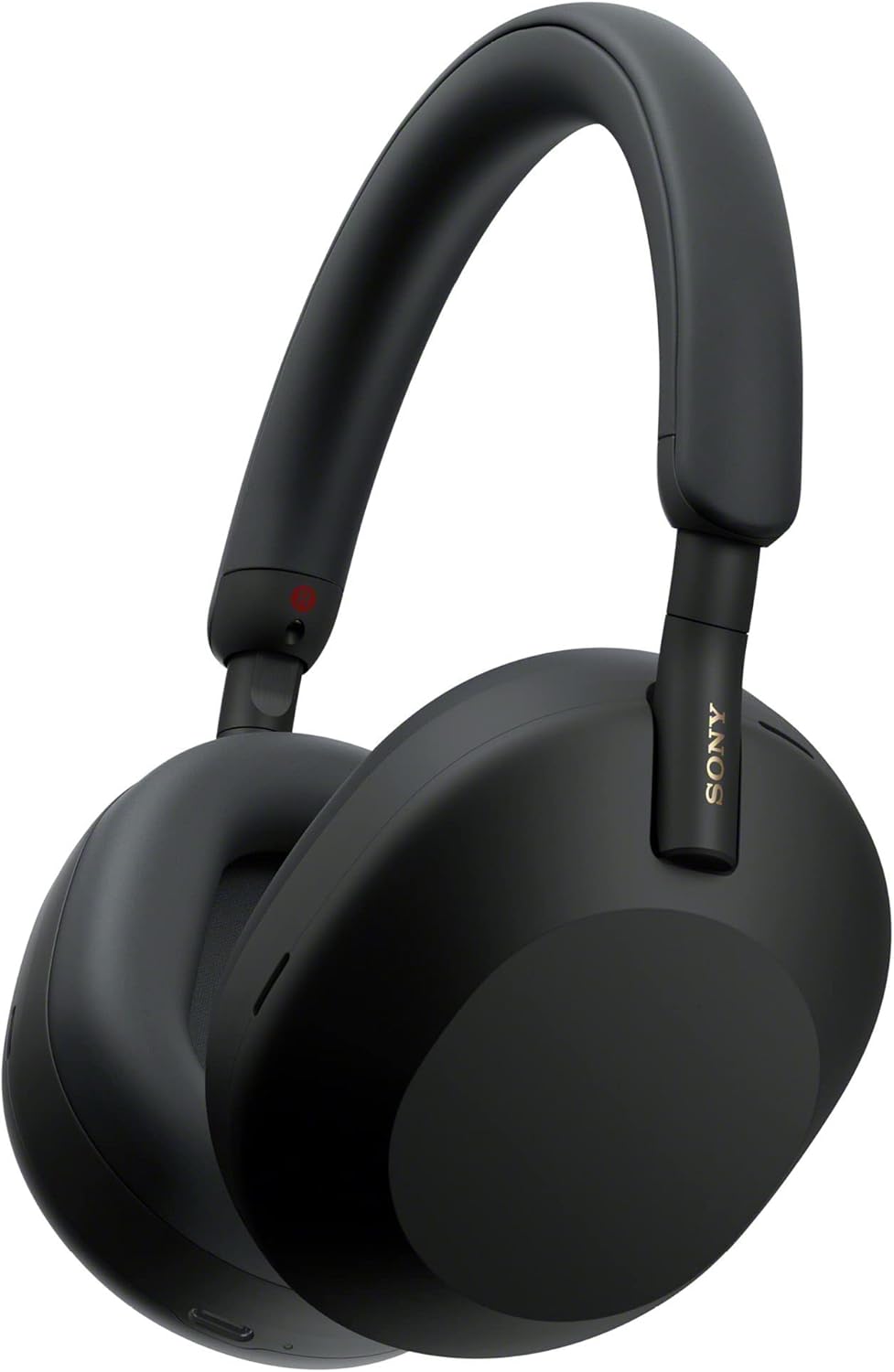 Sony WH-1000XM5
$248.00
Sony WH-1000XM5
$248.00
 Sennheiser Momentum 4
$226.99
Sennheiser Momentum 4
$226.99
 Voncerus Clamp Desk Lamp
$16.99
Voncerus Clamp Desk Lamp
$16.99
 Clip-On Video Light
$21.99
Clip-On Video Light
$21.99
 Lepro Clip-On Lamp
$17.54
Lepro Clip-On Lamp
$17.54
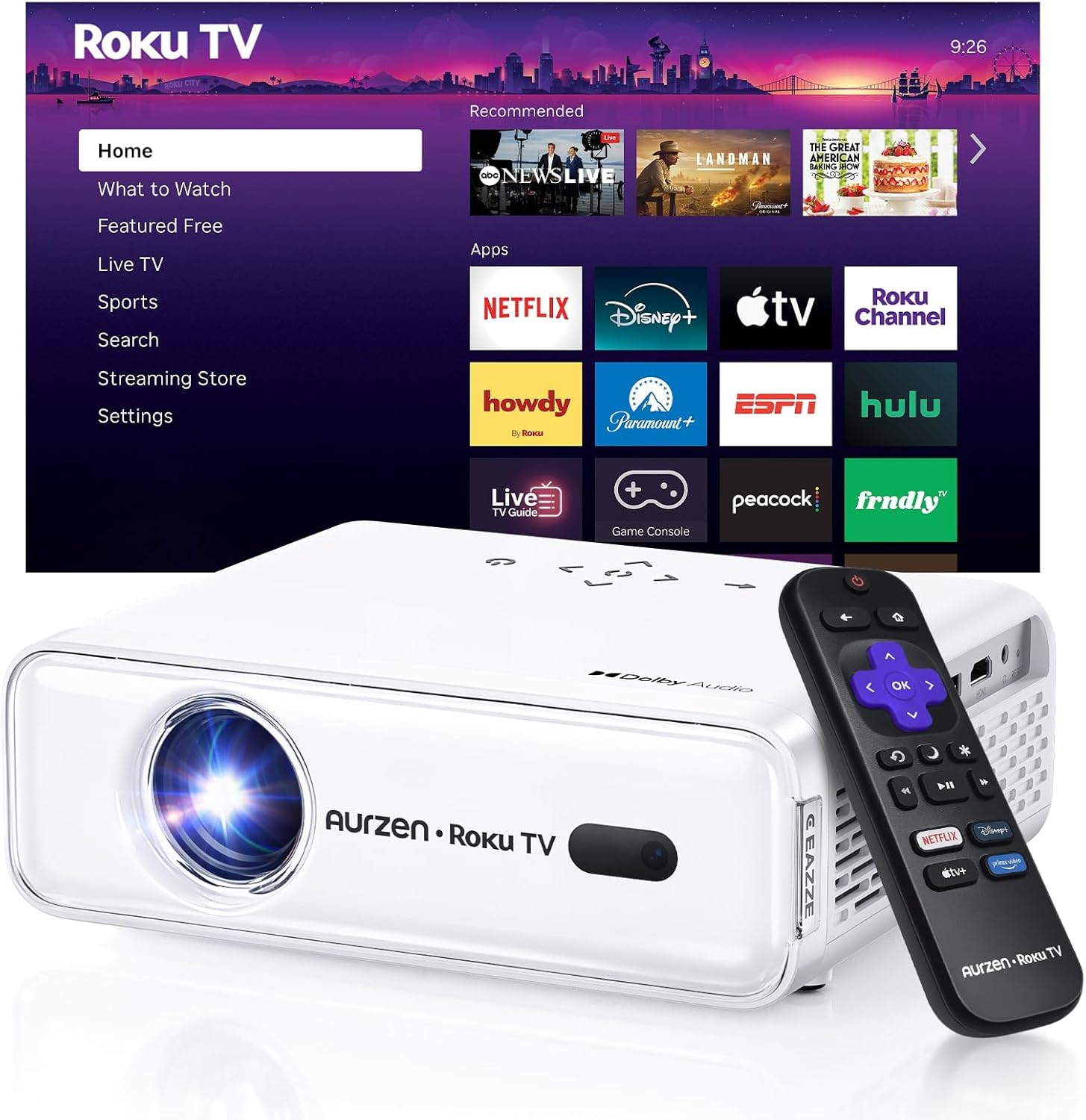 Aurzen Roku Projector
$119.99
Aurzen Roku Projector
$119.99
 Google TV Streamer 4K
$79.99
Google TV Streamer 4K
$79.99
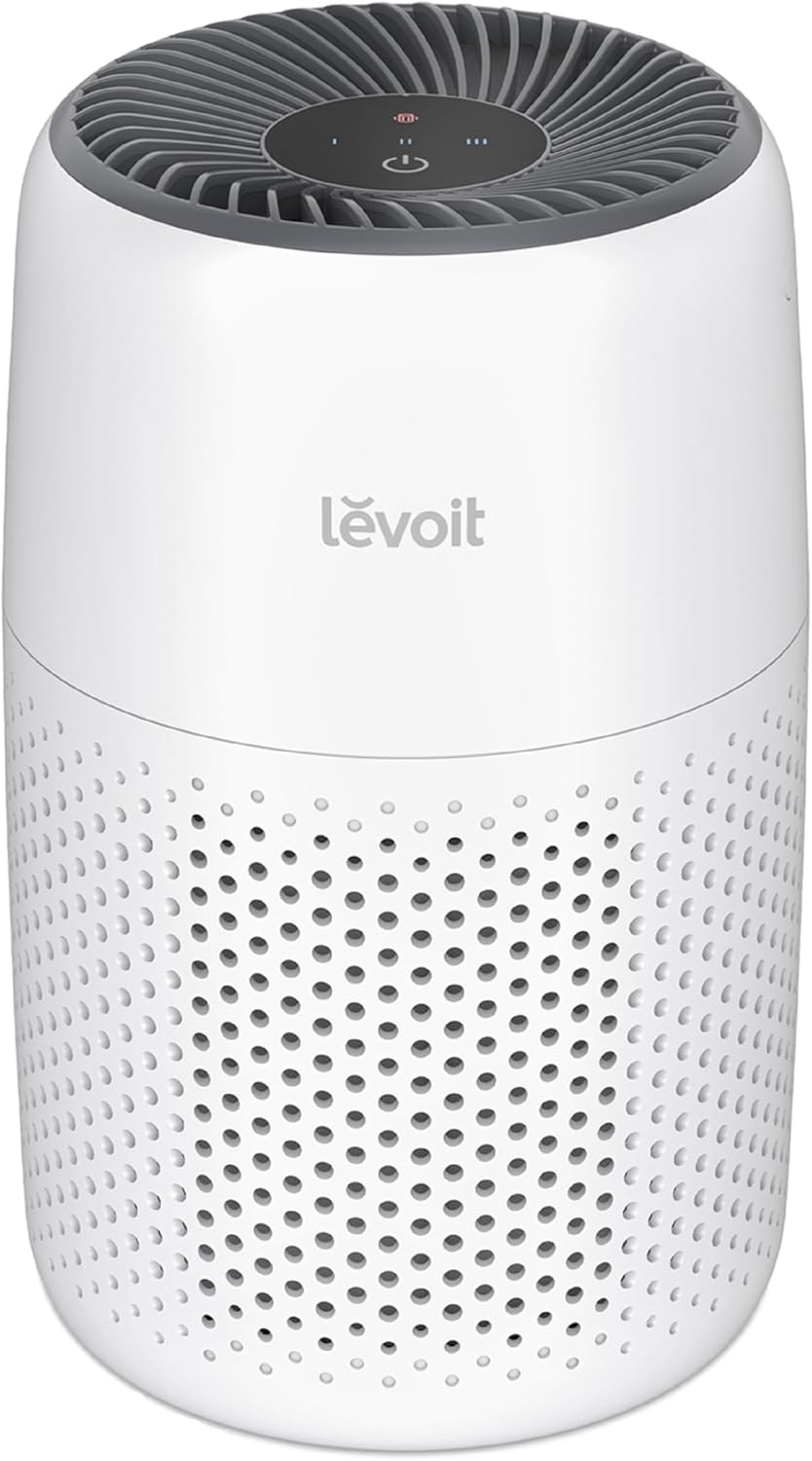 LEVOIT Core Mini-P
$39.97
LEVOIT Core Mini-P
$39.97
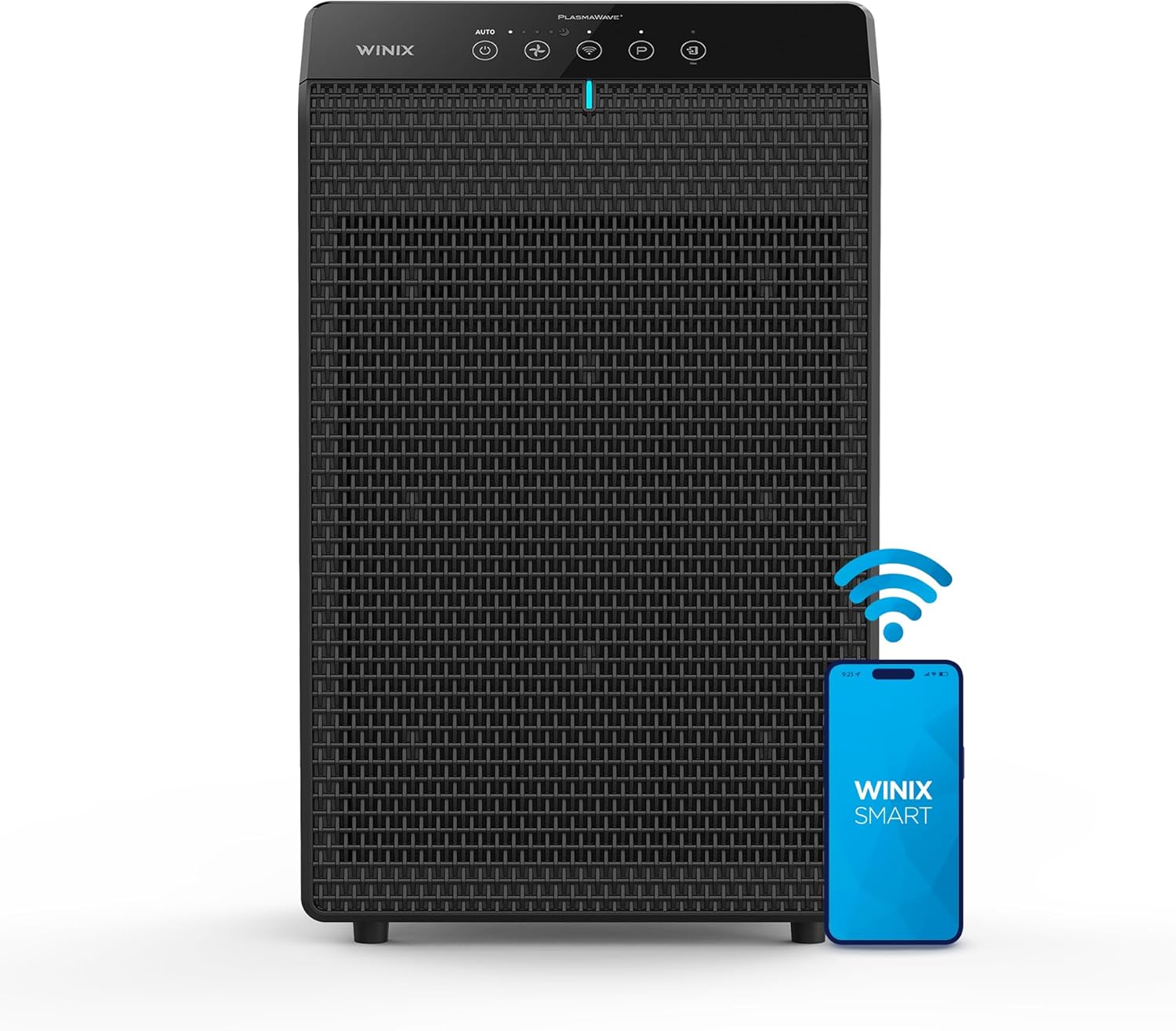 WINIX 5520 Air Purifier
$179.99
WINIX 5520 Air Purifier
$179.99
 MATEIN Laptop Backpack
$19.79
MATEIN Laptop Backpack
$19.79
 BANGE Anti-Theft Backpack
$89.99
BANGE Anti-Theft Backpack
$89.99
 Life360 Tile Tracker
$20.89
Life360 Tile Tracker
$20.89
 Sponsored Ad – Amazon.com