
Lenovo Yoga Slim 7i Ultra Aura Edition for Students: 2026 Review
The Yoga Slim 7i Ultra is exceptionally light, beautifully screened and genuinely long-lasting—but the same product family contains two very different levels of graphics performance. The right student purchase starts with the model number, not the name on the lid.
Quick verdict
Excellent mobilityExcellent displayConfiguration-sensitive performancePremium pricing
Worth buying in 2026? Yes when the exact configuration fits the course and is priced near competing 32GB premium ultrabooks. At roughly US$2,000 for the reviewed Core Ultra 7 model, it is difficult to call a universal best value: faster or cheaper alternatives exist.
 Yoga Slim 7i 15 Aura
 Slim 7i Aura 14 OLED
 Legion Pro 7i RTX 5070 Ti
 Yoga 9i 2-in-1 Aura
 Slim 7i Aura + Sleeve
 Slim 7i Aura + Mouse
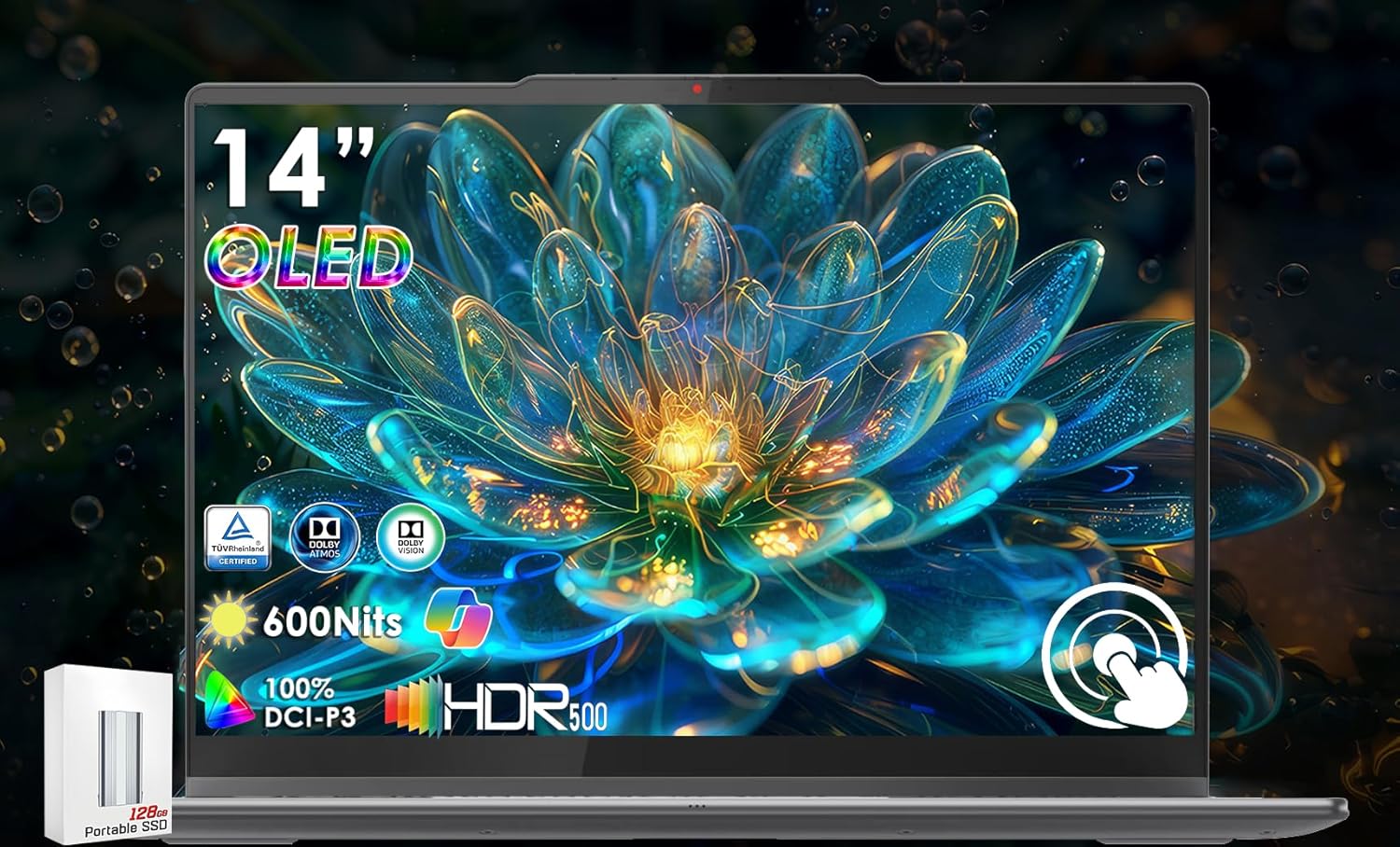 Yoga 7i 2-in-1 Copilot+
 Yoga 7i 14 2K Touch
 Yoga 7 16 AMD AI
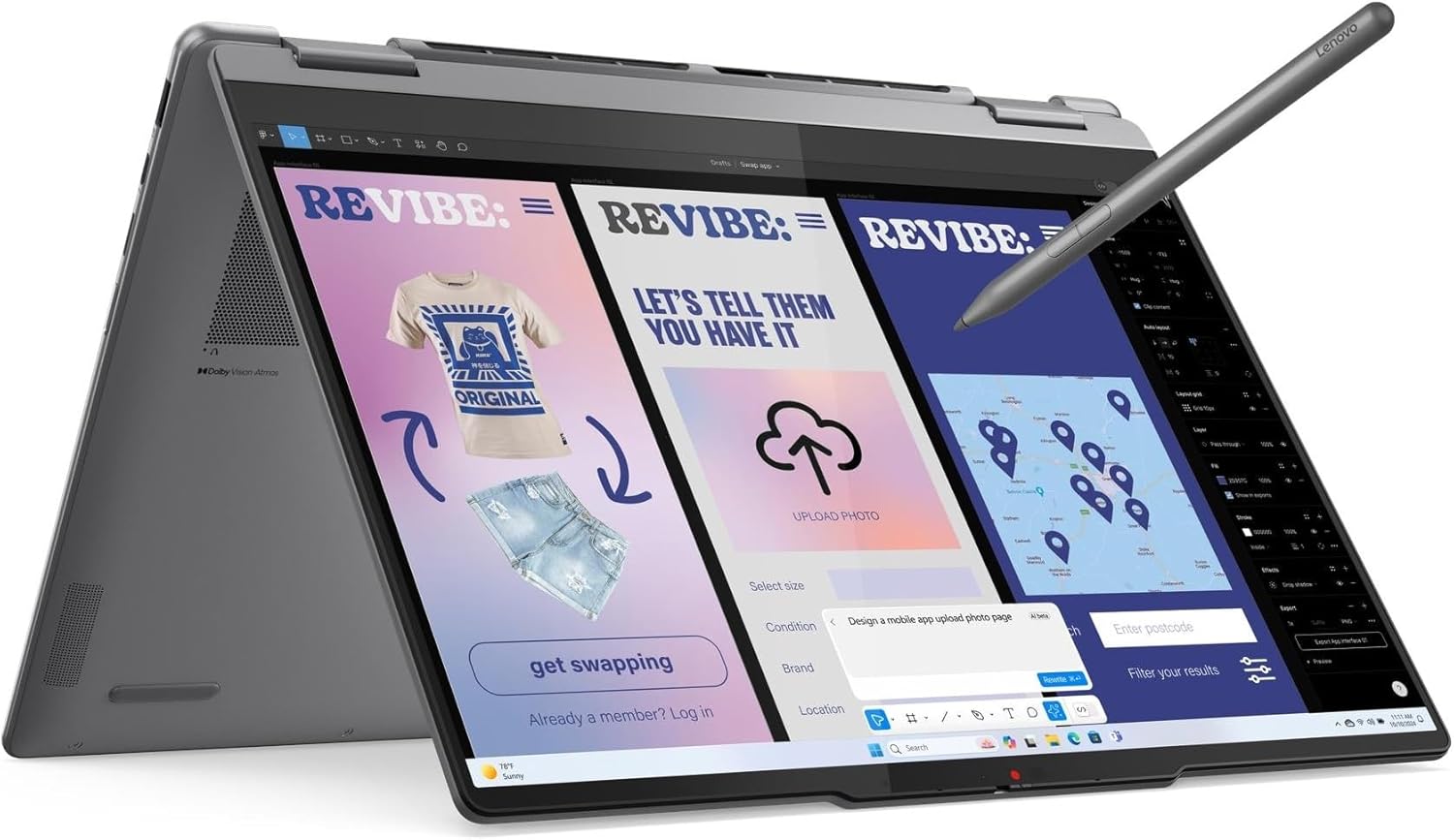 Yoga 7i 2025 Copilot+
 Sponsored Ad – Amazon.com
2026 product status and exact model identity
Lenovo’s formal name is Yoga Slim 7i Ultra Aura Edition (14-inch, Gen 11); the technical family is Yoga Slim 7 Ultra 14IPH11, machine type 83QK. “Ultra” and “Aura Edition” are both official—not retailer inventions. Lenovo announced it at CES on January 6, 2026, with second-quarter availability, so it is a current 2026 generation at the research date.
Do not confuse it with the older 15.3-inch Yoga Slim 7i Aura Edition or with retailer listings that omit “Gen 11.” Those machines use different processors, displays, weights and ports. Check for 83QK and then verify the complete SKU.
Lenovo Yoga Slim 7i Ultra Aura Edition specifications
Swipe or scroll sideways to compare every column. The table stays intact on phones and desktops.
| Specification | Reviewed 83QK0001US | Other family options | Why it matters for students |
|---|---|---|---|
| Processor | Core Ultra 7 355; 8 cores/8 threads; up to 4.7GHz; 12MB cache | Ultra 5 325; Ultra X7 358H; Ultra X9 378H/388H | Fast for Office and ordinary coding; X-series chips have twice the core count for heavier compilation and creation. |
| GPU | Intel Graphics, 4 Xe cores; up to 40 GPU TOPS | Arc B390, 12 Xe cores; up to 122 GPU TOPS on X7/X9 | The X-series is a major graphics upgrade; do not apply B390 reviews to this 4-Xe model. |
| NPU | 49 TOPS | 47–50 TOPS by CPU | Meets Copilot+ hardware class; TOPS is not a score for Office, games or total performance. |
| Memory | 32GB LPDDR5X-7467, dual-channel, soldered | 16/32/64GB; X-series uses up to LPDDR5X-9600 | Cannot be upgraded. Choose capacity for the full ownership period. |
| Storage | 1TB M.2 2242 PCIe 4.0 x4 SSD | 512GB/1TB/2TB; one slot | Service-replaceable, but the slot sits beneath the heat pipe; this is not a convenient student upgrade. |
| Display | 14-inch, 2880×1800, 16:10, 120Hz touch POLED | Same core panel specification; regional SKU details can vary | Sharp text, useful vertical space and fluid scrolling; glossy surface reflects bright rooms. |
| Display claims | 500-nit SDR; 1100-nit HDR peak; 100% P3/sRGB; True Black 1000; Dolby Vision | Factory calibration claim ΔE<1 | Strong for media and color coursework, though independent calibration and brightness vary. |
| Camera / audio | 5MP IR camera, e-shutter; quad mics; four 2W speakers | Fixed-focus webcam; no fingerprint reader | Good hardware for classes and interviews; Windows Hello uses face recognition. |
| Wireless | Wi-Fi 7 2×2; Bluetooth 5.4 | Actual negotiated standard depends on router, OS and drivers | Modern connectivity, with no benefit unless the network and accessories support it. |
| Ports | Three Thunderbolt 4/USB4 ports | All support charging and DisplayPort 2.1 | No USB-A, HDMI, Ethernet, SD card or headphone jack; many students need a hub. |
| External displays | Built-in panel plus up to three external displays | Up to 8K/60Hz via Thunderbolt; 8K consumes two display pipes | A strong docked-study capability, but adapters and display bandwidth matter. |
| Battery / charger | 75Wh; 65W USB-C adapter | Some regional packages omit the adapter | Large battery for the weight; confirm the box contents. |
| Size / weight | 312.6×213.8×13.9mm; from 975g | Camera bump increases depth to 216.2mm | One of its clearest advantages for commuting and small desks. |
| Build / input | Magnesium-aluminum; 1.5mm keyboard; 120×75mm glass touchpad | Cosmic Blue, Mystic Violet or Seashell | Premium, light chassis; touch display has no pen support and does not fold into a tablet. |
| Warranty | SKU-dependent | PSREF lists 1–3 years or market-specific service; battery commonly one year | Verify the exact listing rather than assuming global coverage. |
Configuration comparison: the name hides a large performance gap
Swipe or scroll sideways; rows are not converted into separate mobile cards.
| Configuration | Processor / graphics | RAM | SSD | Display | Best for | Main limitation |
|---|---|---|---|---|---|---|
| Entry | Core Ultra 5 325; 4-Xe Intel Graphics | 16GB | 512GB | 14-inch 3K 120Hz touch POLED | Writing, Office, research and light coding | Fixed 16GB and modest GPU reduce headroom. |
| Reviewed balance | Core Ultra 7 355; 4-Xe Intel Graphics | 32GB | 1TB | 14-inch 3K 120Hz touch POLED | Heavy multitasking, development and moderate creative work | The higher “Ultra 7” label does not bring Arc B390. |
| Performance value | Core Ultra X7 358H; 12-Xe Arc B390 | 32GB | 1TB | 14-inch 3K 120Hz touch POLED | Heavier compiling, graphics, video and light gaming | Usually costs more and can use more power under load. |
| Maximum | Core Ultra X9 378H/388H; 12-Xe Arc B390 | 64GB | 2TB | 14-inch 3K 120Hz touch POLED | Large projects, local models and demanding multitasking | Poor value for ordinary coursework; still no NVIDIA CUDA or workstation GPU. |
Design, portability and OLED display
The chassis is the reason to consider this laptop before discussing AI. At a starting 975g, it is unusually easy to carry while retaining a 75Wh battery. The magnesium-aluminum shell, firm hinge and MIL-STD-810H test claims suggest a carefully engineered ultraportable, but military-standard testing does not make it drop-proof. A sleeve remains sensible.
The 14-inch 3K POLED panel is a standout: 16:10 proportions give essays and code more vertical room, 120Hz makes scrolling visibly smoother than 60Hz, and OLED produces near-black blacks. Tom’s Hardware measured 476 nits SDR and 120.6% DCI-P3; Notebookcheck measured about 488 nits SDR and 1056 nits in HDR. Different meters and test windows explain why results should not be averaged.
Lenovo advertises flicker-reduction certifications, yet Notebookcheck detected 479.46Hz pulse-width modulation at all tested brightness levels. Those statements can coexist because certification rules and laboratory detection methods differ. Students who know they are PWM-sensitive should test the laptop during the return period.
Touch is useful for scrolling, zooming diagrams and signing a document, but this is a clamshell—not a convertible—and Lenovo lists no pen support. Students wanting handwritten notes should compare the site’s student 2-in-1 laptop guide.
Keyboard, touchpad, webcam and speakers
The backlit keyboard has 1.5mm travel, more than many ultra-thin rivals, and independent reviewers found it comfortable for long typing. The large 120×75mm glass haptic touchpad tracks well without a physical diving board. A 5MP IR webcam supports Windows Hello, Center-style framing features through Windows/Lenovo software and a physical electronic shutter; fixed focus is the compromise. Four microphones and four 2W speakers are above-average assets for seminars, calls and media.
Ports: powerful, but austere
All three USB-C-shaped ports are Thunderbolt 4/USB4 and can charge, drive monitors or connect fast storage. Lenovo supports the internal panel plus three external displays; an 8K/60Hz output consumes two display pipes, reducing the available display count. The flexibility is excellent with a dock.
The problem is everything missing: USB-A, HDMI, Ethernet, SD/microSD and even a 3.5mm headset jack. A compact hub and USB-C or Bluetooth audio may become part of the real purchase price. MagSafe-style breakaway charging is also absent. Wi-Fi 7 and Bluetooth 5.4 are current, but only compatible networks and accessories realize their full benefit.
Performance: understand the CPU, GPU and NPU
For normal student life—dozens of browser tabs, Word, Excel, PDFs, Teams, streaming and cloud sync—the reviewed Core Ultra 7 355/32GB configuration is comfortably responsive. Much cheaper laptops also perform these basics well, so the Yoga’s premium buys lightness, screen quality, memory, battery and build more than a necessary Office-speed advantage.
Exact benchmark evidence
Tom’s Hardware tested the same Core Ultra 7 355, 32GB and 1TB class and recorded Geekbench 6 results of 2,729 single-core and 11,555 multi-core, a 5:56 HandBrake transcode and a 3DMark Steel Nomad score of 513. Those figures describe the 8-core, 4-Xe model only. Notebookcheck’s sustained Cinebench loop remained relatively stable, showing that active cooling preserves performance better than a fanless design, although the fans can become audible.
The Core Ultra X7 358H and X9 variants double the CPU core count to 16 and add the 12-Xe Arc B390. Notebookcheck estimated the X7 could deliver roughly 60% more multi-core performance in appropriate workloads. That is meaningful for compilation, rendering and exports, not for typing notes. Buy the X-series for a measured need—not because “X” sounds newer.
Graphics, creative work and gaming
The reviewed 4-Xe configuration handles video playback, light Photoshop/Canva work and modest editing, but is not a gaming or 3D machine. Windows Central found Cyberpunk 2077 stayed at or below 26 fps at its lowest settings and Counter-Strike 2 did not reliably remain above 60 fps at 1680×1050 low. The Arc B390 model is the sensible choice for stronger graphics, yet game compatibility, drivers and shared memory still matter.
For Photoshop, 32GB/1TB is comfortable and the color-rich OLED helps. Adobe recommends 16GB for HD Premiere work and 32GB or more for 4K; proxies and an external SSD remain useful. Blender supports Intel Arc B-series Cycles acceleration through oneAPI, making the X7/X9 much more relevant than the reviewed GPU, but sustained professional 3D rendering still belongs on a discrete-GPU system.
Heat and fan noise
This is not fanless. Notebookcheck measured about 25.5dB at idle and 44–45.5dB under heavy load; light browsing can be nearly silent, but fans ramp during sustained work. Its measured chassis hotspots remained moderate in that test. Library users will appreciate quiet everyday behavior, while renderers should expect audible cooling.
16GB vs 32GB RAM—and storage choices
Swipe or scroll sideways to compare recommended configurations.
| Student type | Memory recommendation | Storage recommendation | Reason |
|---|---|---|---|
| General / humanities | 16GB | 512GB | Enough for research, Office, calls and ordinary multitasking if files are managed. |
| Business / finance | 16GB minimum; 32GB for large models | 512GB–1TB | Large Excel models, Power BI, Teams and many browser apps reward headroom. |
| Computer science / IT | 32GB | 1TB | IDEs, WSL, Docker images, SDKs and databases consume memory and space quickly. |
| Science / data | 32GB | 1TB | Comfortable for MATLAB, Python, R and moderate local datasets; cloud/GPU resources handle bigger jobs. |
| Creative student | 32GB | 1TB minimum | Adobe caches and media grow quickly; choose X7/B390 for heavier graphics. |
| Local AI / heavy professional | 64GB only when model size proves the need | 2TB or external fast SSD | More memory enables larger local models, but no NVIDIA CUDA means it is still not an ML-training workstation. |
RAM is soldered and cannot be upgraded. Sixteen gigabytes is sensible for mainstream study, while 32GB is the best long-ownership balance for development and creation. Sixty-four gigabytes is expensive insurance unless a known workload uses it.
The single M.2 2242 PCIe 4.0 SSD is technically service-replaceable, unlike the RAM. However, teardown evidence places it beneath the heat pipe, so replacement is not a casual, warranty-free student upgrade. A 512GB drive can work with cloud storage; 1TB is safer for Visual Studio, WSL, Docker, Adobe apps and offline media. Cloud storage is synchronization, not a complete backup—use versioned cloud history or an external backup as well.
Windows, coding and course-software compatibility
Windows 11 on an x86-64 Intel processor is a practical advantage for courses that standardize on Windows. Microsoft 365, Google Workspace, learning-management systems and mainstream research tools work normally. Visual Studio, VS Code, Git, Python, JavaScript, Java and WSL are strong fits; Windows Subsystem for Linux provides a useful Linux environment without replacing a dedicated Linux installation in every course.
Docker Desktop supports WSL 2. Windows Home can run Linux containers, while Windows containers require Pro or Enterprise. Thirty-two gigabytes is preferable once several containers, an IDE and a browser run together. Visual Studio can consume tens of gigabytes—and Microsoft notes very large installations can exceed 200GB—so the 1TB SSD is not indulgent for software-development students.
Student software compatibility
Swipe or scroll sideways. Performance assumes the reviewed Core Ultra 7 355/32GB model unless stated.
| Software / workload | Windows compatibility | Expected fit | Suggested RAM | Important limitation |
|---|---|---|---|---|
| Chrome / Edge | Native | Excellent | 16GB | Hundreds of tabs and web apps can still exhaust memory. |
| Word / PowerPoint | Native | Excellent | 16GB | Microsoft 365 is usually a separate license or institution benefit. |
| Excel | Native | Excellent for ordinary to large workbooks | 16–32GB | Huge models, add-ins and Power BI workflows may need 32GB and more CPU. |
| Zoom / Teams | Native | Excellent | 16GB | Calls increase battery drain versus document work. |
| Google Classroom / Workspace | Browser / PWA | Excellent | 16GB | Offline behavior depends on browser and file setup. |
| VS Code | Native | Excellent | 16–32GB | Extensions, language servers and containers increase resource use. |
| Visual Studio | Native | Strong | 32GB | Large workloads need substantial SSD space; X7 compiles faster. |
| Python / Java | Native | Excellent for coursework | 16–32GB | Large builds, VMs and datasets change the recommendation. |
| WSL | Built into supported Windows editions | Strong | 32GB | Kernel/device behavior is not identical to native Linux. |
| Docker Desktop | Native via WSL 2 | Good for moderate use | 32GB | Windows containers need Pro/Enterprise; GPU support requires NVIDIA. |
| MATLAB | Native x86-64 | Strong for CPU coursework | 16–32GB | GPU acceleration in Parallel Computing Toolbox requires supported NVIDIA hardware. |
| AutoCAD 2026 | Native Windows | Good for 2D and moderate education projects | 16–32GB | Complex 3D work benefits from stronger/certified graphics. |
| SOLIDWORKS 2026 | Native Windows | Basic learning only | 32GB | Vendor recommends certified cards/drivers; verify faculty requirements. |
| Revit 2026 | Native Windows | Acceptable for small models | 32GB+ | Complex BIM, rendering and certified workflows favor a workstation GPU. |
| Photoshop / Lightroom | Native | Strong | 32GB | Heavy AI tools and large catalogs benefit from X7/B390 and more storage. |
| Canva | Browser / desktop app | Excellent | 16GB | Cloud features depend on connectivity and account tier. |
| Premiere Pro | Native | Good for HD; moderate 4K | 32GB | Adobe recommends 32GB+ for 4K; integrated graphics limit demanding effects. |
| Blender | Native | Basic on 4-Xe; better on B390 | 32GB | Professional Cycles rendering is much faster on a discrete GPU. |
| Local AI | Tool-dependent | Small/medium experiments | 32–64GB | NPU support is software-specific; large models and training need stronger GPU resources. |
| Gaming | Broad Windows library | Casual/esports; X7 preferred | 32GB | 4-Xe model is weak; no dedicated VRAM and 3K native resolution is demanding. |
Suitability by academic major
Swipe or scroll sideways to compare majors side by side.
| Major | Suitability | Recommended configuration | Biggest advantage | Biggest concern |
|---|---|---|---|---|
| Business | Excellent | 16GB/512GB; 32GB/1TB for heavy Excel | Battery, keyboard, Windows Office | Premium price and hub requirement. |
| Accounting | Strong | 32GB/1TB | Windows compatibility and portability | Verify specialist accounting packages and exam plug-ins. |
| Finance | Strong | 32GB/1TB | Sharp screen and large-workbook headroom | 14-inch workspace may invite an external monitor. |
| Humanities | Excellent | 16GB/512GB | 975g weight, quiet light use, excellent reading display | Cheaper laptops meet the same core needs. |
| Social sciences | Excellent | 16–32GB / 512GB–1TB | Research, statistics and calls | Large quantitative projects may need 32GB. |
| Education | Excellent | 16GB/512GB | Mobility, webcam and presentation support | No native HDMI/USB-A for classroom equipment. |
| Biology | Strong | 32GB/1TB | Research, imaging and general statistics | Specialist laboratory software must be checked. |
| Chemistry | Good | 32GB/1TB | Windows and CPU analysis tools | GPU simulation and instrument software may dictate another PC. |
| General science | Strong | 32GB/1TB | MATLAB/Python portability | No CUDA for accelerated scientific computing. |
| Computer science | Strong | 32GB/1TB; X7 for compilation | x86 Windows, WSL and good battery | Some ML, Linux kernel or CUDA modules need other hardware. |
| IT | Strong | 32GB/1TB | Windows administration and VM headroom | Soldered RAM caps future lab expansion. |
| Data science | Good | 32GB minimum; 64GB only for known local needs | Python/R/Jupyter and portability | Cloud or NVIDIA systems are better for large model training. |
| Engineering | Conditional | X7/32GB/1TB minimum | Windows compatibility and low carry weight | SOLIDWORKS, CUDA, simulations and certified GPU requirements. |
| Architecture | Conditional | X7/32GB/1TB minimum | Excellent display and Windows BIM support | Large Revit/3D/rendering projects favor a workstation. |
| Graphic design | Strong | X7/32GB/1TB | Wide-gamut OLED and touch | Gloss, OLED care and no card reader. |
| Media production | Good | X7/32GB/1TB–2TB | OLED, B390 and portability | Sustained renders, storage and ports favor a larger creator laptop. |
What does Lenovo Aura Edition actually mean?
Aura Edition is Lenovo and Intel’s software-and-experience layer, not a separate processor. Its Smart Modes can adjust privacy, attention, conferencing, power and wellness behavior; Smart Share can simplify phone-to-PC file transfer, including supported iPhones; Smart Care connects eligible systems to support. Names and availability can change with Lenovo Vantage updates, region and service plan.
Bottom line: Aura features add polish but should not decide a US$2,000 purchase. The display, weight, battery, CPU/GPU configuration and course compatibility matter far more.
Copilot+ PC and local AI
All listed processors provide at least a 47-TOPS NPU, exceeding Microsoft’s 40-TOPS Copilot+ threshold, and Lenovo ships qualifying Windows 11 configurations with at least 16GB RAM and 256GB storage. Current Copilot+ functions include Windows Studio Effects, improved Windows search, Click to Do, Live Captions and opt-in Recall on supported builds. Availability varies by Windows update, language, region, account and app.
Recall is opt-in and protected through Windows Hello, but students should still review institutional privacy rules before enabling snapshot-based history. Live Captions can improve accessibility, while Studio Effects can help video calls. AI output remains fallible; summaries require source checking, and generated work must follow course academic-integrity policies.
The NPU efficiently runs software written for it; it does not accelerate every Python notebook, LLM or creative app. Small local models can use CPU, GPU and system memory, making 32GB or 64GB useful. Serious model training, large local models and CUDA frameworks are better served by an NVIDIA GPU or cloud/institutional compute.
Battery life: official claims versus independent use
Lenovo’s current specification sheet lists up to 19 hours in MobileMark 30 at 250 nits and up to 27 hours of local 1080p video at 150 nits. These are controlled maxima, not promises for Zoom, coding and a bright OLED at once.
Different methods answer different questions; the results are deliberately not averaged.
| Tester / exact class | Method | Result | How to interpret it |
|---|---|---|---|
| Lenovo official | MobileMark 30, 250 nits | Up to 19h | Standardized vendor result; configuration, network and software still affect use. |
| Lenovo official | Local 1080p playback, 150 nits | Up to 27h | Light, offline media load—not a mixed study day. |
| Tom’s Hardware / 355, 32GB, 1TB | Web browsing, video and WebGL at 150 nits | 16h 38m | Encouraging class-day result under a controlled mixed loop. |
| Notebookcheck / 355, 32GB, 1TB | Its Wi-Fi browsing method | 10h 36m | A more conservative web result under a different browser, network and test procedure. |
| Windows Central / 355, 32GB, 1TB | PCMark productivity/video test | More than 18h | Useful comparative benchmark, not direct lecture-day time. |
Can it last a full day of classes? Usually yes for documents, research and intermittent video at moderate brightness, with sensible sleep settings. Continuous conferencing, compiling, creative exports, HDR and maximum brightness can cut that sharply. Carrying the compact 65W charger is still prudent on travel days.
Every port accepts USB-C charging. Rapid Charge Express is rated to add roughly three hours after 15 minutes only while the PC is off or hibernating; it is not a guarantee during active use. Battery health naturally declines with time. Keep Windows and Lenovo firmware current, use adaptive charging/conservation options where appropriate, avoid prolonged heat and judge a used unit by Lenovo diagnostics and warranty—not an invented universal “good” percentage.
Price and worldwide availability
The Yoga Slim 7i Ultra is current, but pricing is volatile and regional configurations are not equivalent. The following snapshots were checked on August 14, 2026; taxes, VAT treatment, keyboard, charger, warranty and promotions differ. Compare the exact 83QK SKU, not a converted currency.
Swipe or scroll sideways to view price, configuration and source together.
| Market | Listing / configuration | Price | Condition | Date | Source / caveat |
|---|---|---|---|---|---|
| United States | 83QK0001US; Ultra 7 355, 32GB, 1TB | US$1,999.99 | New | Aug. 14, 2026 | Best Buy; open-box shown from US$1,700.99. |
| United Kingdom | Series page; starting Core Ultra 5 325 | £1,719.49 | New / promotional | Aug. 14, 2026 | Lenovo UK; from £1,809.99 when checked. |
| Canada | Series starting configuration | CAD$2,499.99 | New / promotional | Aug. 14, 2026 | Lenovo Canada; verify selected CPU/RAM. |
| Australia | 83QK002TAU listing | AUD$2,799 | New / promotional | Aug. 14, 2026 | Lenovo Australia; confirm current option details. |
| Germany | Series starting configuration | €2,033.10 | New / promotional | Aug. 14, 2026 | Lenovo Germany; X9/32GB/1TB listings cost more. |
Education discounts, warranty and total cost
Lenovo’s US education page advertised 10% off plus rewards for verified users when checked; Australia advertised up to 20% off everyday pricing. UK and Canada use verified education accounts without guaranteeing the same percentage. Eligibility, excluded SKUs and promotion stacking vary, so sign in and compare the final cart against the public sale price. A nominal student discount can lose to an ordinary promotion.
Standard warranty ranges from one to three years by SKU and region; battery coverage is often shorter. Premium Care and accidental-damage protection can be useful for frequent travelers or expensive X9/64GB builds, but prices and coverage must be quoted for the serial number and market. Read deductibles, repair limits and international-service terms rather than buying from fear.
Total cost may include a hub, USB-C audio adapter, external SSD, backup storage, Office/Adobe subscriptions and extended coverage. None is universally required, but a US$2,000 laptop plus accessories can exceed a faster competitor that already has HDMI, USB-A and a headphone jack.
New, open-box and refurbished
New stock offers the clearest battery history and full stated warranty. Open-box can be attractive when the discount is substantial and the return policy remains strong. Lenovo Certified Refurbished availability is inconsistent by market; do not assume a listing is official simply because it says “refurbished.”
For any used or third-party unit, verify the complete 83QK SKU, RAM, SSD, Windows activation, BIOS password status, company/MDM management, battery report, charger wattage, OLED uniformity/burn-in, ports and remaining warranty. A suspicious listing may show a Yoga Slim 7i Aura model while claiming the Ultra’s sub-1kg chassis.
How it compares with major student-laptop alternatives
Swipe or scroll sideways to keep every comparison column aligned.
| Alternative | Where it wins | Where the Yoga wins | Student decision |
|---|---|---|---|
| ASUS Zenbook 14 OLED | Much lower US price in the checked 16GB/512GB model; HDMI, USB-A and audio jack | Lighter, 32GB reviewed configuration, 3K 120Hz panel and three Thunderbolt ports | The Zenbook is the value choice; buy the Yoga for extreme portability or a specific higher-memory/GPU build. |
| 13-inch MacBook Air M5 | US$1,099 starting price, fanless silence, macOS/iPhone integration and strong battery | Windows x86 compatibility, OLED, 120Hz, touch, lower starting weight and one more Thunderbolt port | Choose by course platform first. The Air is substantially cheaper at list price; the Yoga’s screen and Windows support must justify the gap. |
| ThinkPad X9 15 Aura Edition | Larger workspace, business-management focus, security/service ecosystem | Far lighter, smaller and sharper high-refresh display | The ThinkPad suits desk-heavy business use; the Yoga is better for constant movement. |
| HP OmniBook 5 14 | Far lower sale pricing and excellent endurance in Snapdragon configurations | x86 software certainty, 120Hz touch OLED, more premium input/build | For browser/Office students, the HP can be the rational buy. Check ARM compatibility before choosing Snapdragon. |
| Surface Laptop 13 | Lower entry price, simple design, USB-A and headphone jack | Higher-resolution 120Hz OLED, stronger 32GB options and x86 Intel compatibility | Surface favors mainstream portability; the Yoga favors screen quality and heavier multitasking. |
| NVIDIA-equipped engineering laptop | CUDA, certified/pro graphics options, gaming and rendering performance | Weight, battery, size and quiet light use | Engineering software and GPU requirements outweigh ultraportability. Do not buy the Yoga merely because it runs Windows. |
Students with very basic browser and document needs should also compare a lower-cost Acer Aspire 5. The Yoga is a luxury productivity tool, not the minimum hardware required to succeed academically.
Pros and cons
Strengths
- Exceptionally light 975g starting weight
- Sharp, vivid 3K 120Hz touch OLED
- Large 75Wh battery and strong independent endurance
- Comfortable 1.5mm keyboard and large glass haptic touchpad
- 5MP IR webcam, quad mics and capable speakers
- Three full Thunderbolt 4 ports and strong external-display support
- Broad x86 Windows student-software compatibility
- 32GB and 64GB configurations available
Weaknesses
- Premium price, especially for the 4-Xe Core Ultra 7 model
- No USB-A, HDMI, card reader or headphone jack
- Soldered RAM; SSD replacement is inconvenient
- Glossy OLED with burn-in care and measured PWM
- Core Ultra 5/7 graphics are far behind Arc B390 variants
- No dedicated NVIDIA/CUDA or certified workstation GPU
- Audible fans during sustained work
- Aura and Copilot+ features do not transform ordinary coursework
Six realistic student buying scenarios
Which configuration should students buy?
Minimum sensible configuration
Core Ultra 5 325, 16GB, 512GB is viable for general coursework if it is materially cheaper. It retains the same premium screen and chassis. Buy it only when 16GB will remain enough because memory is permanent.
Best value for most students
32GB RAM and 1TB SSD is the durable balance. Core Ultra 7 355 is fast enough for mainstream study and development, but its price must remain clearly below an X7 model or comparable rivals. At US$1,999.99, the reviewed SKU faces serious value pressure.
Best for coding and creative work
Core Ultra X7 358H, 32GB, 1TB is the configuration to seek. Sixteen CPU cores improve compiling and the 12-Xe Arc B390 is a large step up for creative acceleration and light gaming. A faster chip does not solve CUDA or certified-GPU needs.
Best for longer ownership
Again, 32GB/1TB offers enough headroom for broad student workloads without automatically paying for 64GB. Choose 64GB/2TB only when current datasets, local models or professional applications demonstrate the requirement.
Configuration to avoid at typical pricing
A heavily marked-up Core Ultra 7 355 listing that approaches X7 pricing is poor value because it still has the 4-Xe GPU. Likewise, an X9/64GB/2TB flagship is unnecessary for ordinary lectures, Office and browser work.
How long could it remain useful?
The processor, Wi-Fi 7, 32GB option and replaceable SSD offer enough performance headroom for several years of mainstream study, but no review can guarantee a lifespan or future Windows support. Battery capacity will decline; OLED usage history matters; soldered RAM fixes the ceiling; and software requirements may rise. A well-matched 32GB configuration is more defensible than vague “future-proof” marketing.
Safe student setup recommendations
- Run Windows Update, Microsoft Store updates and Lenovo Vantage/System Update before installing course software.
- Enable Windows Hello face sign-in, device encryption where available and Find My Device.
- Review Aura modes and privacy permissions; keep only features that solve a real problem.
- Create recovery options and use versioned cloud backup or an external backup—not synchronization alone.
- Set battery conservation/charge thresholds when the laptop spends long periods docked.
- Use screen sleep, sensible brightness and OLED protection; switch to 60Hz when maximizing battery matters.
- Remove unwanted trial software through normal Windows settings; do not disable security services or apply unsafe registry “tweaks.”
Buying red flags and common mistakes
- A seller omits 83QK, the complete CPU name, RAM or SSD, or confuses this 14-inch Ultra with a 15.3-inch Aura model.
- The listing implies every Core Ultra chip includes Arc B390. Ultra 5 325 and Ultra 7 355 use 4-Xe Intel Graphics.
- Touch, 3K resolution, 120Hz, charger, warranty or color differs from Lenovo’s SKU record.
- “Copilot+” is used as proof of total speed, or Aura features are treated as a substitute for course-software compatibility.
- The buyer assumes RAM can be added later, Microsoft Office is included, or Thunderbolt means no hub is needed.
- A used unit has BIOS/organization management, weak battery health, display burn-in, no charger or no reliable return policy.
- A sale compares against an artificially inflated reference price, while a faster X7 or cheaper ultrabook costs the same.
30 questions to ask before buying
- What is the exact Lenovo model number?
- Is “Ultra” in the official product name?
- Which Yoga Slim generation is this?
- Which Core Ultra processor does it use?
- Which Core Ultra generation is it?
- Which integrated GPU is included?
- Which NPU does it use?
- Is it officially a Copilot+ PC?
- Which Aura features are supported now?
- How much RAM is installed?
- Is the RAM soldered?
- Can the RAM be upgraded?
- Is 16GB enough for my course?
- Would 32GB prevent a real bottleneck?
- How much SSD storage is included?
- Can the SSD be serviced or replaced?
- Is the panel 2880×1800 OLED?
- Does it support 120Hz?
- Is it touch, and do I need touch?
- What did independent battery tests show?
- Will 120Hz and high brightness reduce runtime?
- What does each USB-C port support?
- Does it support Thunderbolt 4 and my monitors?
- Is Microsoft 365 included by my institution?
- Does my course require dedicated graphics?
- Do I need NVIDIA CUDA or certified drivers?
- What verified education discount applies?
- Is a Zenbook 14 OLED better value?
- Would the current MacBook Air run every required app?
- Is this exact configuration competitive after accessories and warranty?
Student value scorecard
Scores use the reviewed Core Ultra 7 355/32GB/1TB configuration at its August 14, 2026 US price. 1 = poor, 2 = weak, 3 = acceptable, 4 = strong, 5 = excellent. They weight observed capability and compatibility, not brand prestige; another CPU or price can change the result.
Swipe or scroll sideways to see each score and its evidence.
| Criterion | Score / 5 | Reason | Configuration caveat |
|---|---|---|---|
| Basic schoolwork | 5 | Effortless Office, research and calls. | Cheaper laptops also score well. |
| Multitasking | 5 | 32GB provides excellent headroom. | 16GB model scores 4. |
| Coding | 4 | Strong x86 tools, WSL and keyboard. | X7 compiles faster. |
| Computer science | 4 | Good all-round development platform. | No CUDA; soldered RAM. |
| Data analysis | 4 | 32GB suits moderate local analysis. | Large GPU work needs other compute. |
| Engineering | 3 | Windows compatibility helps. | Integrated, non-certified graphics. |
| Creative work | 4 | Excellent OLED and memory. | 4-Xe GPU limits heavier work. |
| AI usefulness | 3 | Qualifying NPU and useful accessibility tools. | Software support and region vary. |
| Gaming | 2 | Broad Windows library, weak reviewed GPU. | X7/B390 raises this to about 3. |
| OLED display | 5 | 3K, 120Hz, wide gamut and HDR. | Gloss, PWM and burn-in care. |
| Reading | 4 | Sharp 16:10 panel. | Gloss can distract in bright rooms. |
| Keyboard | 4 | Comfortable 1.5mm travel. | Preference remains personal. |
| Touchpad | 5 | Large glass haptic surface. | No physical click mechanism. |
| Webcam | 4 | 5MP IR and privacy shutter. | Fixed focus. |
| Speakers | 4 | Strong four-speaker system. | No headphone jack. |
| Ports | 2 | Three fast TB4 ports. | No legacy/native display/audio ports. |
| Wireless | 5 | Wi-Fi 7 and Bluetooth 5.4. | Needs compatible infrastructure. |
| Security | 4 | IR Hello, e-shutter and Windows protections. | No fingerprint reader. |
| Battery | 4 | Strong 75Wh results for the weight. | Real tests span 10h36–16h38. |
| Charging | 4 | 65W USB-C through any port. | No breakaway connector; adapter may be omitted. |
| Portability | 5 | 975g and 13.9mm. | Hub adds carry weight. |
| Fan noise | 4 | Near-silent light work. | 44–45.5dB under load. |
| Thermals | 4 | Stable sustained CPU and moderate surfaces. | Active fans are necessary. |
| RAM flexibility | 1 | No post-purchase upgrade. | Choose 16/32/64GB upfront. |
| SSD upgradeability | 3 | Single replaceable M.2 drive. | Awkward location beneath heat pipe. |
| Repairability | 2 | Some serviceable parts. | Thin integrated design and soldered RAM. |
| Price | 2 | US$1,999.99 is expensive for 4-Xe graphics. | Sale and regional pricing can change this. |
| Student discount potential | 4 | Verified regional education programs. | Discounts and stacking are not universal. |
| Mainstream student value | 3 | Excellent product, but overqualified and costly for basics. | Entry sale can improve value. |
| Premium-ultrabook value | 4 | Rare weight/display/battery combination. | Exact CPU and competitor price decide. |
Should students buy the Lenovo Yoga Slim 7i Ultra Aura Edition in 2026?
Buy it if sub-1kg portability, a superb OLED, strong light-use battery life and x86 Windows compatibility matter every day; your software does not require NVIDIA or certified graphics; and the exact 32GB configuration is competitively priced. It is especially compelling for mobile writers, business students, programmers and researchers who want one premium machine for class and a docked desk.
Skip it if the course requires CUDA, SOLIDWORKS certification, heavy Revit/3D rendering or substantial internal upgradeability; if gaming is central; or if a US$1,100–1,350 Air, Zenbook or XPS meets the same needs. Aura features and NPU TOPS are supporting details, not sufficient reasons to overspend.
Current alternatives
Prices are snapshots checked August 14, 2026 and can change without notice.
| Exact model / configuration | Checked price | Main advantage | Main weakness | Best student type |
|---|---|---|---|---|
| Apple MacBook Air 13-inch M5, 16GB/512GB | From US$1,099 | Fanless, strong battery, macOS ecosystem and value | No OLED/touch; macOS may not run required Windows software | Apple users in compatible courses |
| ASUS Zenbook 14 OLED (2026), Ryzen AI 9 465, 16GB/512GB | US$1,199.99 | OLED, useful ports and lower cost | Soldered 16GB in this retail SKU | Mainstream premium Windows buyers |
| Dell XPS 14 (2026), Core Ultra X7 358H, 32GB/1TB, 2K | From US$1,349.99 | Faster X-series platform and strong price | Heavier; base display is not the Yoga’s 3K OLED | Performance-focused premium buyers |
| Microsoft Surface Laptop 13, Snapdragon X Plus, 8GB/256GB | From US$949.99 | Compact design and low entry price | Base memory/storage are limited; ARM app/driver checks required | Light Office and browser users |
| HP OmniBook 5 14, Snapdragon X, 16GB/512GB, 2K OLED | US$750 promotional snapshot | Excellent affordability and battery value | ARM compatibility and less premium touchpad | Budget-conscious general students |
| Lenovo Legion 5a Gen 11, RTX 5060, 16GB class | From US$1,769.54 | Dedicated NVIDIA/CUDA, gaming and rendering | Much heavier, louder and shorter-lived away from power | Engineering, 3D and gaming students |
| Dell Pro Max 14 mobile workstation | From US$1,991.83 | Professional NVIDIA graphics options and business service | Price rises with RTX configuration; heavier | CAD students needing certified/pro graphics |
Frequently asked questions
Is the Lenovo Yoga Slim 7i Ultra Aura Edition good for students?
Yes—for students who value very low weight, a premium OLED, Windows compatibility and strong battery life. It is especially good for writing, business, research, coding and moderate creative work. It is a poor fit when a course requires NVIDIA CUDA, certified workstation graphics, extensive built-in ports or user-upgradeable memory.
What is the exact official model?
It is the Lenovo Yoga Slim 7i Ultra Aura Edition (14-inch, Gen 11), technical family Yoga Slim 7 Ultra 14IPH11, machine type 83QK. “Ultra” is official. Always check the full SKU because several Yoga Slim Aura models coexist and retailers sometimes abbreviate their names.
Is it a current 2026 laptop?
Yes. Lenovo announced this generation on January 6, 2026 and scheduled availability for the second quarter. It was current and sold in multiple markets when research was completed on August 14, 2026. That does not mean every listing is the same configuration or equally good value.
Is 16GB RAM enough?
Sixteen gigabytes is enough for Word, research, calls, general business work and light programming. Choose 32GB for Docker, WSL, Visual Studio, large Excel models, data work or creative multitasking. Since the RAM is soldered, base the decision on the heaviest known course workload, not only today’s browser use.
Should students buy Core Ultra 7 355 or Core Ultra X7 358H?
Choose Core Ultra 7 355 for productivity and ordinary coding when it is clearly cheaper. Choose X7 358H for frequent compiling, creative acceleration and light gaming: it has 16 CPU cores and a 12-Xe Arc B390 GPU, versus eight CPU cores and 4-Xe Intel Graphics in the reviewed Ultra 7.
Can the RAM or SSD be upgraded?
The RAM cannot be upgraded because it is soldered. The laptop has one M.2 2242 PCIe 4.0 SSD that is service-replaceable, but independent teardown reporting places it beneath the heat pipe. Treat memory as permanent and storage replacement as a technician-level service rather than a convenient expansion feature.
How long does the battery last?
Lenovo claims up to 19 hours in MobileMark 30 and 27 hours of local video. Independent results for the Core Ultra 7/32GB/1TB class ranged from 10 hours 36 minutes in Notebookcheck’s Wi-Fi test to 16 hours 38 minutes in Tom’s Hardware’s mixed loop. Brightness, 120Hz, calls and heavy apps change runtime.
Does the OLED display suffer from burn-in or flicker?
All OLEDs carry some cumulative static-image burn-in risk; sensible sleep, moderate brightness and varied content reduce exposure but cannot create a universal guarantee. Notebookcheck also detected 479.46Hz PWM at all tested brightness levels. Students sensitive to flicker should evaluate the laptop within the seller’s return period.
Is it good for coding and computer science?
Yes. It runs x86 Windows tools, VS Code, Visual Studio, Python, Java, WSL and moderate Docker well. A 32GB/1TB build is the best balance; X7 improves heavier compilation. Check courses involving CUDA, kernel-level Linux, many virtual machines or unusual device drivers because those can require different hardware.
Is it good for engineering or architecture?
Conditionally. Windows supports AutoCAD, Revit and SOLIDWORKS, and smaller projects can run. However, demanding BIM, simulation and 3D workflows often expect a certified discrete GPU; SOLIDWORKS recommends certified graphics, and CUDA work requires NVIDIA hardware. The course’s official specification should overrule a general laptop review.
Is it good for gaming?
Not as a primary gaming laptop. The Core Ultra 7 355’s 4-Xe graphics are suitable for casual and lighter titles at reduced settings. The X7/X9 Arc B390 models are substantially stronger, but still share system memory and lack a dedicated gaming GPU’s performance. The 3K native panel also demands many pixels.
Is Aura Edition worth paying extra for?
Usually not by itself. Smart Modes, Smart Share and support integration can reduce friction, but Windows and individual apps already duplicate some functions. Treat Aura as a convenience bonus. The exact CPU/GPU, 16GB versus 32GB, OLED, weight, battery, ports and final price deliver more lasting student value.
Does it support external monitors and Thunderbolt?
Yes. It has three Thunderbolt 4/USB4 ports with charging and DisplayPort support. Lenovo specifies the internal screen plus up to three external displays. An 8K/60Hz output uses two display pipes, reducing the possible display count. The monitor, cable, dock and selected resolution/refresh rate must all support the requested mode.
What is the best alternative?
The answer depends on the gap. MacBook Air M5 is the lower-priced fanless macOS choice; ASUS Zenbook 14 OLED offers stronger port value; Dell XPS 14 can provide an X7/32GB platform for less; HP OmniBook 5 targets affordability; and an RTX-equipped Legion or mobile workstation is safer for CUDA, 3D and engineering.
Research methodology
This guide was completed on August 14, 2026. Product identity and configuration limits were checked against Lenovo’s announcement, PSREF specification and user documentation. Processor details were checked against Intel. Copilot+ behavior was checked against Microsoft. Course recommendations were cross-referenced with official software requirements. Battery, display, performance, noise and thermal conclusions use exact-configuration tests from Tom’s Hardware, Notebookcheck and Windows Central; incompatible test methods were not averaged.
Prices are dated snapshots rather than forecasts. No hands-on testing was claimed, no benchmark was invented, and results from the Core Ultra 7 355 were not represented as results for the faster Arc B390 models. FrediTech’s early analysis was used as an editorial perspective: its emphasis on sub-1kg portability, premium OLED and the likely “hub tax” held up, while later official and laboratory evidence supplied more precise battery and performance context.
Sources and further reading
- Lenovo CES 2026 announcement and launch positioning
- Lenovo PSREF: Yoga Slim 7 Ultra 14IPH11 specifications
- Lenovo Yoga Slim 7i Ultra user guide
- Lenovo: Yoga Slim 7i Ultra Aura Edition features
- Intel Core Ultra 7 355 specifications
- Intel Core Ultra X7 358H and Arc B390 specifications
- Microsoft: Click to Do and Copilot+ requirements
- Microsoft: Recall requirements and controls
- Tom’s Hardware: Core Ultra 7 355 laboratory review
- Notebookcheck: display, PWM, battery, noise and performance testing
- Windows Central: Yoga Slim 7i Ultra Gen 11 review
- FrediTech’s independent Yoga Slim 7i Ultra Aura Edition analysis
- Microsoft Visual Studio 2026 system requirements
- Docker Desktop for Windows requirements
- MathWorks MATLAB R2026a requirements and MATLAB GPU computing requirements
- Autodesk AutoCAD 2026 requirements and Revit 2026 requirements
- SOLIDWORKS 2026 requirements and certified-graphics guidance
- Adobe Premiere technical requirements and Photoshop technical requirements
- Blender Cycles GPU rendering support
- Apple MacBook Air M5 pricing and specifications