
Acer Aspire 5 Review for Students: Is It Worth Buying?
Fact-checked: | Review type: Research-based, configuration-aware buying guide
Short answer: The Acer Aspire 5 is a good-value Windows laptop for most secondary-school and university students when it has a capable Core i5 or Ryzen 5 processor, at least 8GB of RAM, SSD storage and a Full HD IPS display. It handles research, documents, video classes, presentations, programming and everyday multitasking well. Its weaknesses are inconsistent specifications between model numbers, ordinary display quality on some versions, average battery endurance and limited gaming performance on models with integrated graphics.
Quick verdict
Important before buying: “Acer Aspire 5” is a product family, not one fixed laptop. An older A515-45, a newer A515-58M and a graphics-equipped A515-57G can differ in processor, installed memory, upgradeability, USB-C features, webcam, battery life and weight. Always obtain the complete model or part number from the seller and compare it with Acer’s official specification page.
Disclosure: This article contains affiliate links. If you make a qualifying purchase through one of them, we may earn a commission at no additional cost to you. Affiliate relationships do not change our buying advice.
Which Acer Aspire 5 configuration is best for students?
For a student buying now, the sweet spot is usually a midrange processor, 16GB of memory and a 512GB SSD. That combination is more important than choosing an Aspire 5 merely because its listing has a low price.
| Component | Minimum worth considering | Better long-term choice | Why it matters |
|---|---|---|---|
| Processor | Intel Core i3 or AMD Ryzen 3 from a reasonably recent generation | Intel Core i5 or AMD Ryzen 5 | A midrange processor gives smoother multitasking and more headroom for coding, data tools and future software. |
| Memory | 8GB RAM | 16GB RAM | Modern browsers, video calls and office apps can consume 8GB quickly. Choose 16GB when memory is soldered. |
| Storage | 256GB SSD | 512GB NVMe SSD or larger | A 512GB drive leaves more room for applications, offline lectures, research files and backups. |
| Display | 1920 × 1080 resolution | Full HD IPS, matte finish and adequate indoor brightness | Sharp text and wider viewing angles make long reading and writing sessions more comfortable. |
| Graphics | Integrated Intel or AMD graphics | Dedicated NVIDIA graphics only when your course requires GPU acceleration | Integrated graphics are enough for everyday study; dedicated graphics add cost, heat, weight and battery drain. |
| Wireless | Wi-Fi 5 | Wi-Fi 6 or better | Newer Wi-Fi standards can perform more consistently on busy campus networks when the router also supports them. |
Our practical pick: Look first for a Core i5 or Ryzen 5 model with 16GB RAM and a 512GB SSD. If the difference between 8GB and 16GB is affordable, choose 16GB—especially when the product page describes the memory as LPDDR4X or LPDDR5, because low-power memory is commonly soldered and may not be replaceable.
Why the Aspire 5 model number matters
The original draft treated every Aspire 5 as though it had the same ports, battery and upgrade path. Acer’s own specification pages show why that is risky. The following models are examples of genuine differences within the family; they are not a complete list.
| Example model | Key hardware | Ports and expansion clues | Battery and weight |
|---|---|---|---|
| A515-45-R74Z | Ryzen 5 5500U, DDR4 memory, 256GB SSD, 15.6-inch Full HD IPS display | Four USB ports, HDMI and Ethernet; USB-C data only on the listed configuration | 48Wh; approximately 3.88 lb (1.76 kg) |
| A515-48M-R3DF | Ryzen 5 7530U, LPDDR4X memory, 512GB SSD, 15.6-inch Full HD IPS display | Two USB-A ports, USB-C, HDMI and Wi-Fi 6; no Ethernet listed | 50Wh; approximately 3.53 lb (1.60 kg) |
| A515-58M-56GY | Core i5-1335U, LPDDR5 memory, 512GB SSD, 15.6-inch Full HD display | Two USB-A ports plus USB4/Thunderbolt 4 with display output and charging support | 50Wh; up to 9.5 hours claimed; approximately 3.97 lb (1.80 kg) |
| A515-57G-58R7 | Core i5-1240P, GeForce RTX 2050 4GB, DDR4 memory, 512GB SSD | Four USB ports, Thunderbolt 4, HDMI and Ethernet | 50Wh; up to 8 hours claimed; approximately 3.97 lb (1.80 kg) |
The lesson is simple: never rely on “Aspire 5,” screen size or a retailer-created year label alone. Match the exact Acer model and part number, then confirm the installed RAM—not only the maximum supported memory—the SSD capacity, panel type, keyboard backlight, webcam resolution, USB-C features and warranty region.
Performance for school and university work
Documents, research and online classes
A Core i5 or Ryzen 5 Aspire 5 with SSD storage should feel responsive for the work most students do every day: opening several browser tabs, writing assignments, building slides, reading large PDFs, streaming lectures and joining video meetings. SSD storage matters because it improves startup time, application launches and file searches compared with an old mechanical hard drive.
Eight gigabytes of RAM can handle a modest workload, but it leaves less room for heavy browser use. A video meeting, multiple research tabs, a PDF reader and a presentation app can run at the same time; 16GB reduces the chance of slowdowns and is the safer choice for a laptop expected to last several academic years.
Programming, data analysis and STEM software
For introductory programming, web development, Python, Java, database exercises and common statistics packages, a midrange Aspire 5 is generally sufficient. Students who plan to run virtual machines, large local databases, Android development tools, engineering simulations or several development services at once should prioritize 16GB—or 32GB when the exact model supports it—and a 512GB or 1TB SSD.
Course requirements should decide the purchase. Some engineering, architecture and media programs specify a dedicated GPU, minimum video memory or a particular operating system. Check the department’s software list before ordering; an inexpensive integrated-graphics model can become costly if it cannot run a required application properly.
Creative work and gaming
Integrated Intel Iris Xe-class or AMD Radeon graphics can handle video playback, basic image editing, simple design projects and lighter games at sensible settings. They are not intended for demanding 3D rendering or modern high-end gaming. Aspire 5 models with a “G” in the model family may include dedicated NVIDIA graphics, but the exact GPU and power limit still matter. Acer’s A515-57G-58R7, for example, lists a 4GB GeForce RTX 2050 with up to 25W graphics power.
A dedicated-GPU version can help in applications that use GPU acceleration, but it is not automatically the best student choice. It usually costs more, uses more power and may run warmer. Buy it only when your coursework or leisure needs justify those tradeoffs.
Design, build quality and portability
The Aspire 5 favors practical design over luxury. Depending on the generation, it may combine a metal lid with a plastic lower chassis or use other cost-conscious materials. The appearance is understated enough for classrooms, internships and office settings, while the 15.6-inch versions provide room for a numeric keypad on many configurations.
Portability varies. Acer lists approximately 3.53 lb (1.60 kg) for the A515-48M-R3DF and 3.97 lb (1.80 kg) for the A515-58M-56GY. Add the charger, sleeve and books before deciding whether that is comfortable for a daily commute. A 14-inch Aspire 5 may fit smaller bags more easily, while a 15.6-inch version is more comfortable for split-screen study and spreadsheet work.
Independent testing also shows that build and input quality can change between generations. A PCWorld review of the 14-inch A514-54-501Z praised its solid feel and comfortable keyboard, while another PCWorld test of a 15-inch 2022 configuration was less enthusiastic about the keyboard. Neither finding should be applied automatically to every Aspire 5.
Display, audio and webcam quality
A 1920 × 1080 IPS display is the minimum panel we recommend for this laptop family. It produces sharper text than older 1366 × 768 screens and gives better viewing angles than a basic TN panel. For essays, online lessons, spreadsheets and streaming, a decent Full HD IPS panel is practical.
Color performance and brightness require closer inspection. In its 2022 test of one 14-inch configuration, PCWorld measured 290 nits of peak brightness and 64% sRGB coverage. That specific panel was usable indoors and produced crisp text, but its limited color gamut made images less vivid. Those measurements belong only to the reviewed A514-54-501Z; another Aspire 5 panel may perform differently.
Students studying photography, graphic design or video production should look for independent measurements of the exact panel and aim for close to full sRGB coverage. If a seller lists only “Full HD” without naming IPS, brightness or color coverage, ask for more information.
Built-in speakers are suitable for spoken lectures and video calls, but headphones are usually better for music, editing and noisy environments. Webcam quality also varies: the older 14-inch PCWorld review used a basic 720p camera, while Acer lists a Full HD webcam on the A515-58M-7570. Confirm the camera specification if remote learning is a major part of your course.
Battery life: can it last through classes?
Battery life is the Aspire 5’s most configuration-dependent weakness. Acer lists up to 9.5 hours for one 50Wh A515-58M model and different estimates for other variants, but the company also states that actual runtime depends on the processor, memory, storage, display, applications, power settings and operating conditions.
Measured results can be lower than marketing estimates. PCWorld’s local video test of the 53Wh A514-54-501Z lasted 6 hours 35 minutes, and the reviewer reported roughly 6 to 7 hours during a mix of browsing, writing and photo editing. That is evidence for one older configuration—not a guaranteed result for every Aspire 5—but it shows why students should not assume an “up to” figure means a full day of real use.
To improve practical endurance:
- Use Windows Energy Saver when you are away from a power outlet.
- Reduce screen brightness to a comfortable indoor level.
- Close unneeded browser tabs, game launchers and background synchronization tools.
- Download lectures before traveling instead of relying on continuous streaming.
- Keep the original charger in your bag when your timetable exceeds the laptop’s tested runtime.
If you regularly spend eight or more hours away from a socket, compare measured battery tests of current alternatives before buying. A laptop with a larger battery or a more efficient platform may be worth the extra cost.
Keyboard and trackpad
The full-size keyboard is one reason students often consider the 15.6-inch Aspire 5. Many versions include a numeric keypad, which is useful for accounting, economics, statistics and data entry. Backlighting is available on some configurations but absent on others, so it should be verified rather than assumed.
Keyboard comfort is personal. If possible, test the key spacing, key travel and palm-rest position before purchase. The trackpad is adequate for navigation and Windows gestures, but students who spend long hours at a desk may prefer an inexpensive external mouse.
Ports and connectivity
The Aspire 5 family generally offers more physical connectivity than many thin premium laptops, but the exact selection has changed over time. Older A515-45 models can include Ethernet, several USB-A ports, HDMI and a data-only USB-C port. Certain newer Intel A515-58M configurations reduce the number of USB-A ports but add USB4 or Thunderbolt 4, DisplayPort output and USB-C charging.
Check these questions against the exact product page:
- Does USB-C charge the laptop? A USB-C connector does not guarantee Power Delivery input.
- Can USB-C drive an external monitor? Look for DisplayPort over USB-C or Thunderbolt support.
- Is Ethernet built in? Some newer slim variants omit the RJ-45 port.
- How many USB-A devices do you use? Count your mouse receiver, flash drive, printer cable and external drive.
- Which Wi-Fi version is included? Wi-Fi 6 is present on several verified models and is a sensible target for campus use.
A good port selection can save a student from buying and carrying an extra hub, which should be included when comparing total cost.
Can you upgrade the RAM and storage?
Sometimes—but not on every Aspire 5. This is another area where broad advice can be misleading. PCWorld’s reviewed 15-inch 2022 model had two removable memory modules and two M.2 slots, one of them empty. By contrast, newer models that specify LPDDR4X or LPDDR5 may use memory attached to the motherboard.
Before buying an 8GB model with plans to upgrade it later, confirm all of the following:
- Whether the installed memory is soldered, socketed or a combination of both.
- The number of free memory slots and Acer’s supported maximum capacity.
- Whether a second M.2 slot or 2.5-inch drive bay is actually present.
- Whether opening the chassis affects the seller’s or regional warranty.
- Which memory and SSD specifications are compatible with the exact model.
If the seller cannot answer, buy the amount of RAM you need from the start. Storage is easier to supplement with cloud storage or an external SSD, but soldered memory cannot be fixed with an accessory.
Windows 11 and the student experience
Most recent Aspire 5 listings ship with Windows 11 Home, providing broad compatibility with Microsoft Office, school portals, programming tools and many specialist applications. Some listings may use Windows 11 Home in S mode, which limits software installation to Microsoft Store apps until the user switches out of S mode. Confirm the edition before purchase if you need traditional desktop software.
Preinstalled software differs by retailer and region. Remove programs you do not use, allow Windows Update and Acer’s official support utility to complete driver updates, and create recovery and backup options before the semester becomes busy. Do not install drivers from random download sites.
For Linux tools, compatible Windows 11 systems can use Windows Subsystem for Linux, while experienced users may choose a separate Linux installation. Check course requirements and back up the device before changing partitions or operating systems.
Acer Aspire 5 pros and cons for students
Pros
- Good everyday performance in Core i5 and Ryzen 5 configurations
- Full HD IPS options suitable for reading, writing and streaming
- Useful selection of USB-A, USB-C and HDMI ports on many models
- Comfortable full-size layouts and numeric keypads on many 15.6-inch versions
- Wi-Fi 6 available across several verified configurations
- Some older models offer excellent RAM and SSD upgrade access
- Usually strong specification-to-price value when discounted
Cons
- The Aspire 5 name covers many substantially different laptops
- Battery life may fall short of a full day in real-world use
- Brightness and color accuracy are modest on some panels
- Webcam, backlit keyboard, Ethernet and USB-C features are not universal
- Some newer low-power-memory versions may not allow RAM upgrades
- Integrated-graphics models are unsuitable for demanding 3D work and modern AAA gaming
- Build materials feel practical rather than premium
Acer Aspire 5 alternatives for students
The right alternative depends on what you dislike about the Aspire 5. Compare equal configurations, measured battery life and local warranty rather than brand names alone.
| Option | Choose it when | Main tradeoff |
|---|---|---|
| Acer Aspire Go 15 | Your workload is mostly documents, browsing and online classes, and the lower price is the priority. | Lower-cost configurations may use slower processors or more limited memory. |
| Chromebook Plus | Your schoolwork is browser-based and you value simplicity, security and potentially longer battery life. | It cannot replace every Windows-only program used in STEM, business or creative courses. |
| Lenovo IdeaPad, HP Pavilion or Dell Inspiron | A same-price configuration offers a better panel, battery, keyboard, warranty or service network. | Specifications and quality vary just as widely, so model-level comparison is still necessary. |
| Refurbished business laptop | You prioritize durable construction, repairability and a better keyboard at a limited budget. | Battery wear, cosmetic condition and warranty quality require careful checking. |
| Entry-level gaming laptop | Your program or hobbies genuinely require a dedicated GPU. | It is normally heavier, louder and less efficient on battery. |
For more options, read our guides to the best budget laptops for students and schools, the best Chromebooks for schools and colleges, and our Acer Aspire Go 15 review for students.
Buying advice for Ghana and other markets
Prices and stock change quickly, especially when laptops are imported or sold by marketplace resellers. A reliable buying decision starts with the device identity and total ownership cost, not a promotional percentage.
- Request the complete model and part number. A listing should show something like A515-58M-56GY and an Acer part number, not only “Aspire 5 2025 laptop.”
- Verify the processor model. “Core i5” alone is incomplete; an i5-1135G7, i5-1240P and i5-1335U are different chips.
- Confirm installed RAM and whether it is replaceable. Do not confuse “supports up to 32GB” with “includes 32GB.”
- Check the display. Prefer Full HD IPS. Ask about brightness and color coverage when your course involves visual work.
- Inspect the battery condition on used or refurbished units. Request a battery-health report and test charging before the return period ends.
- Confirm warranty coverage in your country. An imported laptop may not receive the same local service as an officially distributed unit.
- Check the charger label and plug. Confirm input-voltage compatibility and use a safe, correctly rated Type G adapter or power cable where required in Ghana.
- Calculate the complete cost. Include delivery, import charges, a sleeve, possible RAM or SSD upgrades, a mouse, a hub and warranty coverage.
- Review the return policy. Test the display, keyboard, USB ports, Wi-Fi, webcam, speakers, battery and charger immediately after delivery.
Do not overpay for reseller upgrades. Marketplace listings sometimes combine an older processor with unusually large RAM or storage amounts. More memory does not make an old processor new, and a reseller-installed component may have different warranty terms. Compare the CPU, display, battery and seller reputation as carefully as the headline memory capacity.
Compare current Acer student-laptop options
Sponsored links. Prices and availability can change. Confirm the exact model, seller, warranty and specifications before ordering.
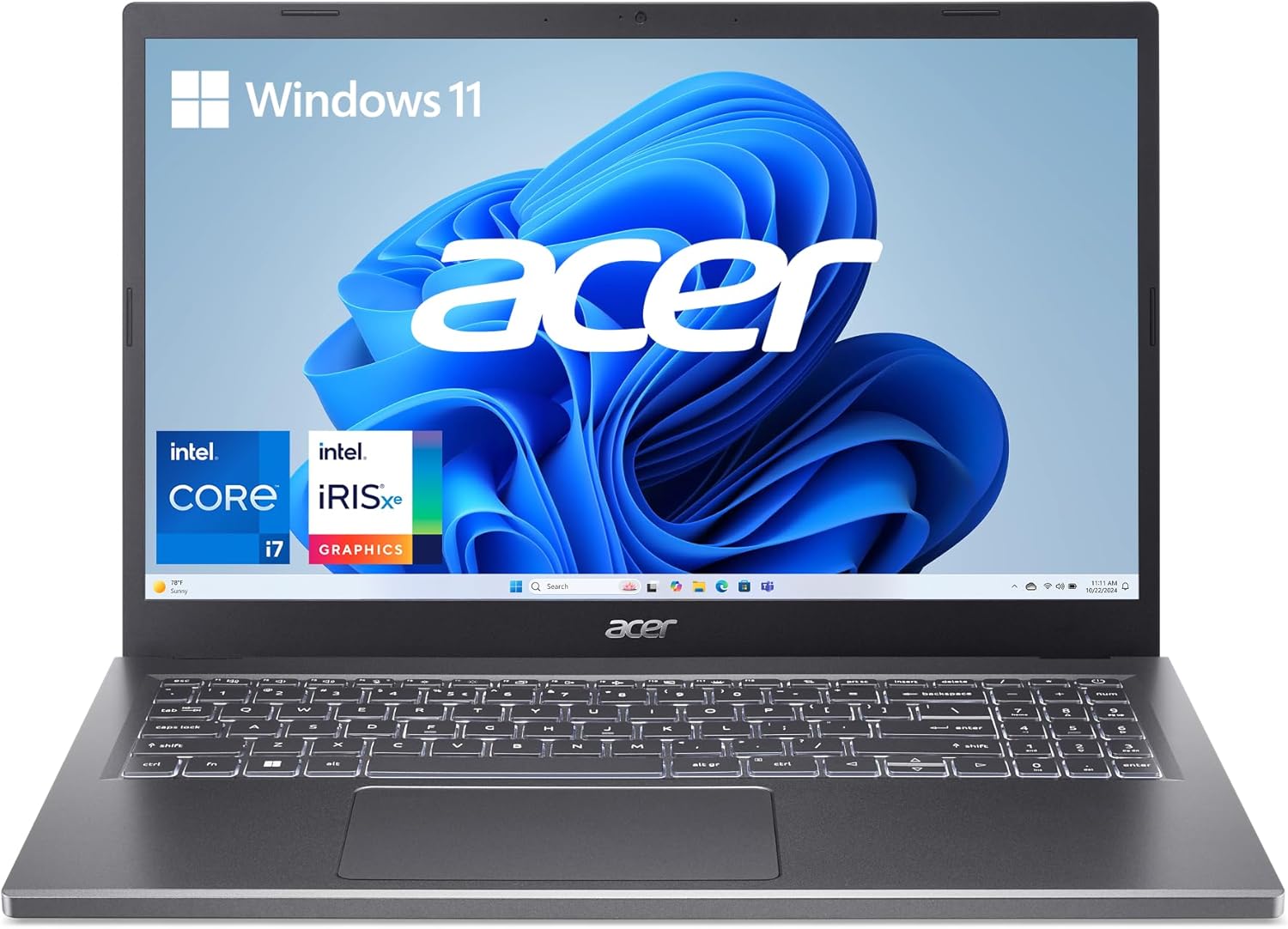 Acer Aspire 5 15-inch Core i7 optionCheck the current configuration and price on Amazon
 Acer Aspire Go 15 Core i5 optionCompare a lower-cost Acer alternative on Amazon
 Acer Aspire 15 Ryzen 5 optionCheck the current specifications and price on Amazon
 Acer Aspire 14 Core 5 optionCompare a more portable Acer configuration on Amazon
How to get the most from an Acer Aspire 5
- Complete updates early: Install Windows, browser, firmware and Acer driver updates before important assignments or examinations.
- Protect your work: Keep at least one cloud copy and one separate backup of notes, research and projects.
- Control startup apps: Disable nonessential programs that launch automatically and consume memory.
- Use a protective sleeve: A padded sleeve reduces scratches and impact during daily transport.
- Keep vents clear: Use the laptop on a hard surface during demanding work so airflow is not blocked.
- Improve desk comfort: Add a mouse, external keyboard or monitor for long study sessions when your budget allows.
- Use trusted software sources: Download applications and drivers from official publishers to reduce security and stability risks.
- Keep purchase records: Save the receipt, exact serial number, warranty terms and seller communication.
Final verdict: is the Acer Aspire 5 worth it for students?
Yes, the Acer Aspire 5 can be worth buying for a student—but only after checking the exact configuration. Its strongest versions combine a capable Core i5 or Ryzen 5 processor, SSD storage, a sharp Full HD display, a useful keyboard and enough ports for ordinary school peripherals. That makes it a practical Windows laptop for assignments, research, presentations, online learning, coding and general productivity.
The biggest reason to pause is inconsistency. Battery endurance, screen quality, webcam resolution, USB-C features and upgradeability are not the same across generations. Some older models are easy to expand; some newer slim models may use soldered low-power memory. Some have basic USB-C data ports; others include USB4 or Thunderbolt 4. A product-family name cannot answer those questions.
Choose the Aspire 5 when its verified specifications and warranty offer better overall value than comparable alternatives. For most students, a 16GB RAM and 512GB SSD configuration is the safest balance. Choose something else if your course needs professional color accuracy, powerful graphics or proven all-day battery life.
Frequently asked questions
Is the Acer Aspire 5 a good laptop for students?
Yes. A well-configured Aspire 5 is good for documents, research, video classes, presentations, coding and everyday multitasking. Look for a Core i5 or Ryzen 5 processor, 16GB RAM if possible, a 512GB SSD and a Full HD IPS display. Check the exact model number because specifications vary.
Which Acer Aspire 5 configuration should a student buy?
For the best balance of cost and longevity, choose a Core i5 or Ryzen 5 model with 16GB RAM and a 512GB NVMe SSD. Eight gigabytes can work for light use, but 16GB is better for many browser tabs, video calls, coding tools and several years of study.
What are the disadvantages of the Acer Aspire 5?
Common disadvantages include average battery endurance, ordinary color accuracy on some displays, practical rather than premium materials and limited graphics performance on most models. Features also vary widely, so a listing may omit a backlit keyboard, Ethernet, USB-C charging or upgradeable RAM.
Is the Acer Aspire 5 good for programming?
It is suitable for introductory and intermediate programming, web development, Python, Java and database coursework when equipped with a capable processor and SSD. Choose at least 16GB RAM for virtual machines, Android development, containers or heavier local development environments.
Can the Acer Aspire 5 RAM be upgraded?
Some Aspire 5 models have replaceable memory modules, while others use soldered LPDDR memory. Do not assume upgradeability from the product-family name. Check the service manual or official specification for the exact A514 or A515 model and part number before buying.
How long does the Acer Aspire 5 battery last?
There is no single figure for the entire family. Acer lists different maximum runtimes by model, and independent testing of one older 53Wh configuration produced 6 hours 35 minutes in a video loop and roughly 6 to 7 hours in mixed use. Processor, display, brightness, apps and battery condition all affect runtime.
Can the Acer Aspire 5 run games?
Integrated-graphics models can run lighter and older games at appropriate settings, but they are not ideal for demanding modern titles. Certain Aspire 5 versions include dedicated NVIDIA graphics and perform better, although they cost more and may use more battery power.
Is an Acer Aspire 5 better than a Chromebook for school?
The Aspire 5 is the safer choice when you need full Windows programs, broader peripheral support or specialist course software. A Chromebook can be a better value when all your work is browser-based and simplicity, security and battery life matter more than Windows compatibility.
Is 8GB RAM enough for an Acer Aspire 5?
Eight gigabytes is enough for light documents, browsing and streaming, but it can become restrictive with many tabs, video calls and heavier applications. Sixteen gigabytes is the better long-term choice, particularly on models whose memory cannot be upgraded.
Review methodology and sources
This is a research-based buying guide, not a claim that one reviewer personally tested every Aspire 5 variant. We compared official Acer specification pages for multiple A515 models with independent laboratory and real-world observations from named PCWorld configurations. Model-specific findings are labeled so they are not misrepresented as universal.