
Lenovo Yoga 9i 2‑in‑1 Aura Edition for Students – Reviews & Guide
Lenovo Yoga 9i 2-in-1 Gen 11 Aura Edition Review for Students
The Lenovo Yoga 9i 2-in-1 Gen 11 Aura Edition is a premium 14-inch convertible built around a 2.8K 120Hz OLED touchscreen, Intel Core Ultra 7 355 processor, 32GB of memory, Yoga Pen support and a 360-degree soundbar hinge. It is an excellent creative and note-taking laptop for students who can justify its flagship price, but it is not the best-value option for basic schoolwork or demanding GPU-based courses.
Lenovo announced this 2026 model at Mobile World Congress as a flexible canvas for creators. Its combination of laptop, tent, stand, tablet and Canvas modes gives art, design, media and presentation-focused students more ways to work than a conventional clamshell. Students comparing several price levels should also read the Best 2-in-1 Laptops for Students guide.
Updated August 14, 2026. This is a research-based evaluation, not a hands-on laboratory review. Gen 11 specifications were checked against Lenovo's PSREF dated August 12, 2026 and Lenovo's official MWC announcement. US pricing was checked on August 14, 2026. Availability, accessories, warranties and prices vary by country and exact model number.
Buy it if you want a premium Windows convertible for handwritten notes, digital art, presentations, media, research and long study days. Skip it if you mainly use office and web applications, need upgradeable RAM, require NVIDIA CUDA or expect workstation-class 3D and gaming performance. The strongest student-value configuration is generally 32GB RAM with a 1TB SSD; 2TB is worthwhile only for large local creative libraries.
Best for
Art and design students, digital note-takers, presenters, media students and premium-laptop buyers who value OLED quality and convertible flexibility.
Main compromise
High price and integrated graphics. Less expensive convertibles can handle ordinary documents, research, classes and streaming almost as well.
 Yoga 9i Aura 14" 32GB 2TB
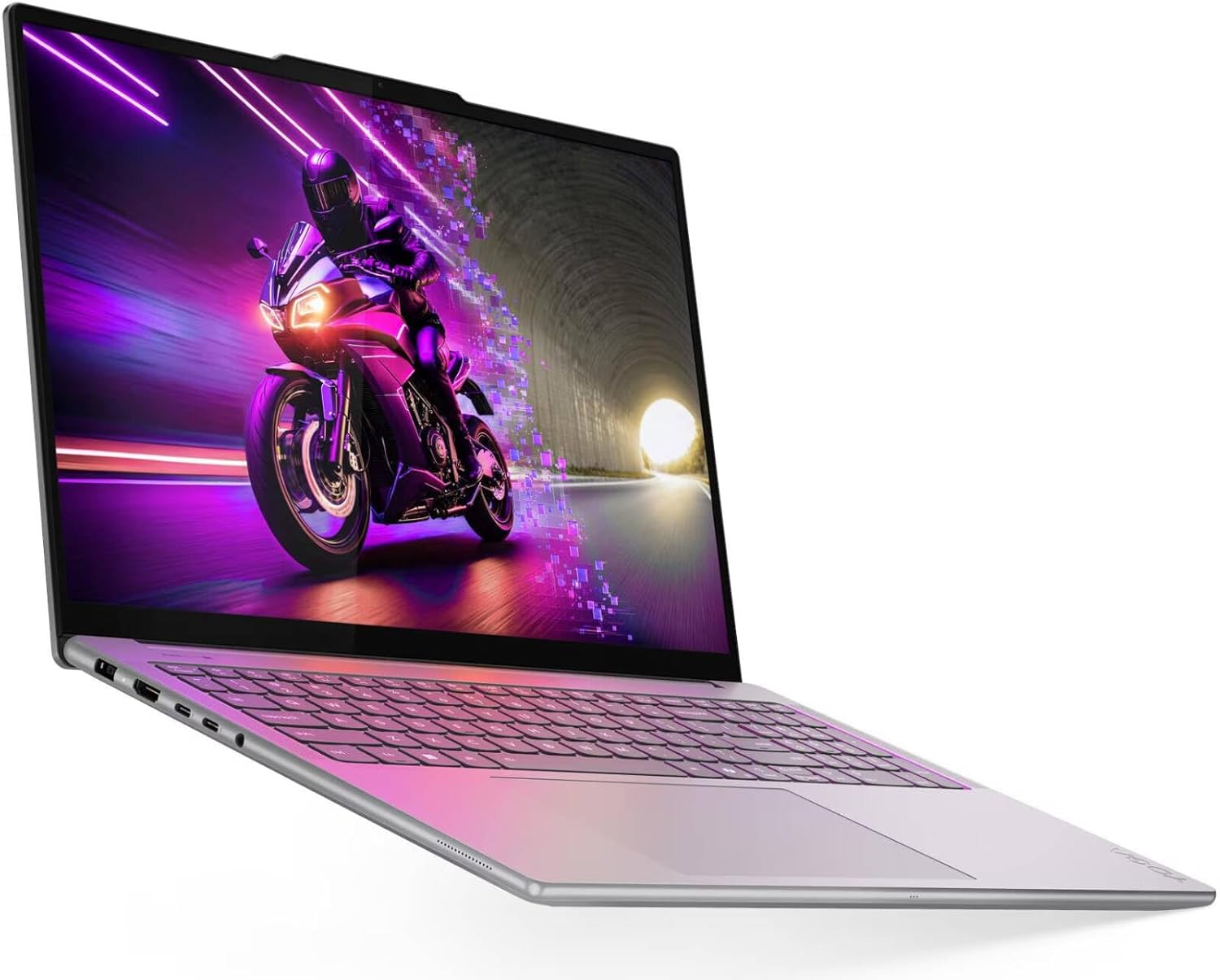 Yoga Pro 9i 16" RTX 5060
 Slim 7i Aura 14" 16GB 1TB
 IdeaPad Slim 3X 15.3"
 Yoga 7 16" Ryzen AI 7
 Yoga 7i 16" Ultra 7 1TB
 Yoga 7i 16" 1TB
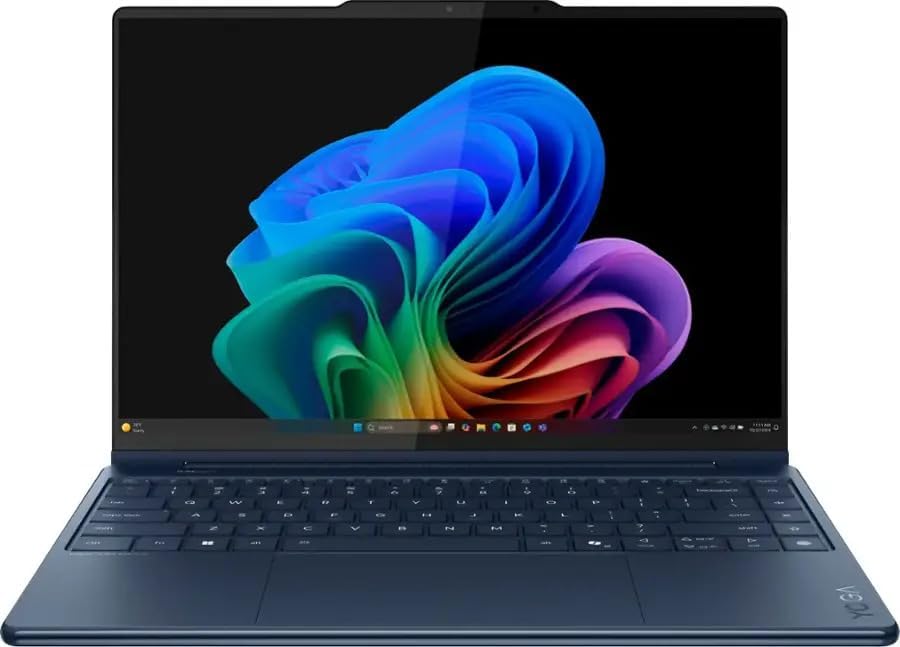 Yoga 9i Aura 14" 32GB 1TB
 ThinkPad X1 Gen 9 2-in-1
 Yoga 9i 14" 2.8K OLED 1TB
 Sponsored Ad – Amazon.com
Yoga 9i Gen 11 Specifications and Current Status
Lenovo announced the Yoga 9i 2-in-1 Aura Edition (14-inch, Gen 11) at MWC 2026 and listed March 2026 availability in Europe, the Middle East and Africa. The 2026 machine is internally identified as the Yoga 9 2-in-1 14IPH11. This distinction matters because many early search results and reviews cover the visually similar 2025 Gen 10 model.
| Feature | Yoga 9i 2-in-1 Gen 11 Aura Edition |
|---|---|
| Announcement and availability | Announced March 2026; Lenovo listed March 2026 EMEA availability. |
| Processor | Intel Core Ultra 7 355, 8 cores and 8 threads, with up to 4.7GHz P-core boost. |
| Graphics and AI | Integrated Intel Graphics; NPU rated at up to 49 TOPS; Copilot+ PC. |
| Memory | Up to 32GB LPDDR5X-7467, soldered to the motherboard and not upgradeable. |
| Storage | 512GB, 1TB or 2TB M.2 2242 PCIe 4.0 NVMe SSD; one replaceable drive slot. |
| Display | 14-inch 16:10 2.8K OLED touchscreen, 2880 × 1800, up to 120Hz, 500 nits typical SDR and 1,100 nits HDR peak. |
| Color and glass | 100% DCI-P3, 100% sRGB, 99% Adobe RGB, average Delta E below 1, factory calibrated, Gorilla Glass 3. |
| Pen and modes | Yoga Pen Gen 2 or Gen 3 with case on selected models; laptop, tent, stand and tablet modes plus Lenovo's Canvas setup. |
| Camera and audio | 5MP + IR camera with privacy shutter; four-speaker Dolby Atmos system and quad-microphone array. |
| Battery | 70Wh lithium-ion battery; Rapid Charge Express can provide up to three hours of runtime from a 15-minute charge while off or hibernating. |
| Ports | Two Thunderbolt 4 ports, one always-on USB-A 10Gbps port, HDMI 2.1 and a 3.5mm audio jack. |
| Wireless | Wi-Fi 7 and Bluetooth 5.4; no cellular WWAN support. |
| Dimensions and weight | 317.21 × 222.62 × 15.29 mm; starting at 1.29 kg (2.84 lb). |
| Security | Firmware TPM 2.0, IR facial recognition, human-presence detection and camera shutter; no fingerprint reader. |
Lenovo's official MWC 2026 announcement explains the creative design, while the Yoga 9 14IPH11 PSREF provides the current technical details.
Design, OLED Display and Pen Experience
Comfort Edge chassis and five ways to work
The all-aluminum Cosmic Blue chassis uses Lenovo's rounded Comfort Edge design, which feels less sharp in tablet mode than a squared laptop edge. The 360-degree soundbar hinge supports the familiar laptop, tent, stand and tablet positions. Lenovo also promotes a fifth creative setup called Canvas Mode: the magnetic pen case slightly raises the folded display from a flat desk, producing a more comfortable drawing angle.
At 1.29 kg, the Yoga 9i is portable enough for daily campus use, although it is much heavier than a dedicated tablet when held in one hand. MIL-STD-810H testing covers selected controlled conditions; it is evidence of durability testing, not a guarantee that the laptop cannot be damaged by drops, liquids or pressure inside a backpack.
2.8K PureSight Pro OLED display
The display is the strongest reason to consider this laptop. Its 2880 × 1800 resolution keeps text and fine artwork sharp, while the 120Hz maximum refresh rate makes scrolling and pen input appear smoother. Lenovo lists 500 nits typical SDR brightness and 1,100 nits HDR peak brightness. The latter applies to supported HDR content, not the entire screen during ordinary work.
Factory calibration, wide DCI-P3 and sRGB coverage, 99% Adobe RGB coverage and an average Delta E below 1 make the panel attractive for photography, illustration and design. However, it is a glossy touchscreen. Reflections can remain visible near windows and outdoors, and OLED content at high brightness consumes more power.
Yoga Pen and Canvas Mode
Lenovo's launch material emphasizes the Yoga Pen Gen 2 and its AES 3.0 support for improved precision and lower latency. The later PSREF lists either a Yoga Pen Gen 2 or Gen 3 with a matching case on selected models. That means buyers should check the exact product listing instead of assuming every retailer includes the same pen.
For students, the pen is useful for annotating PDFs, solving equations, drawing diagrams, editing images and signing forms. A 14-inch convertible is large enough to provide a comfortable canvas on a desk, but its size and weight make it less convenient than a small tablet for reading while standing.
Keyboard, touchpad, camera and sound
The backlit keyboard has approximately 1.5 mm of key travel and includes a Copilot key. The large 135 mm glass touchpad provides ample room for multi-finger gestures. The 5MP IR camera supports Windows Hello facial recognition and includes a privacy shutter, while ultrasonic human-presence detection can support presence-aware features.
Four speakers—two woofers and two tweeters in the rotating soundbar hinge—are optimized with Dolby Atmos. Because the hinge speakers remain oriented toward the listener across several modes, lectures, films and video calls should sound more consistent than they do on laptops with only bottom-firing speakers.
Performance, Memory and AI Features
Core Ultra 7 355 and integrated graphics
The current Gen 11 PSREF lists one processor family: the Intel Core Ultra 7 355. It has four performance cores and four low-power efficiency cores, for eight cores and eight threads. This platform is designed to balance responsive everyday performance with battery efficiency rather than maximize sustained multi-core output.
The graphics are listed simply as integrated Intel Graphics—not a dedicated GPU. That is sufficient for 4K media, photo editing, digital art, light video work, casual games and GPU-accelerated interface effects. It is not an alternative to an NVIDIA RTX laptop for CUDA, advanced 3D rendering, complex engineering visualization or high-end gaming.
32GB memory and up to 2TB storage
Up to 32GB of LPDDR5X memory provides generous headroom for browser tabs, office applications, creative tools and moderate development work. The RAM is soldered and cannot be expanded later. Storage options include 512GB, 1TB and 2TB M.2 2242 PCIe 4.0 SSDs. The drive occupies one slot and is replaceable, although an upgrade requires backups and operating-system migration or reinstallation.
A 1TB SSD is the best balance for most students. Choose 2TB if you expect to store raw photographs, large video files, virtual machines or extensive offline course resources. A 512GB drive works for cloud-centered study but will require more storage discipline.
Copilot+ PC and Aura Edition features
The processor's NPU is rated at up to 49 TOPS, meeting the hardware threshold for Copilot+ PC experiences. Supported features can include local image tools, camera effects, transcription and application-specific AI acceleration. Availability depends on Windows version, region, language, account and software support.
Lenovo's Aura Edition layer adds Smart Modes, Smart Care and Smart Share experiences. These can help manage performance profiles, support and cross-device sharing, but they should not be the primary reason to buy the laptop. The display, pen, keyboard, battery, ports and course-software compatibility have a more predictable effect on daily student work.
Student workload fit
| Student workload | Fit | Important limitation |
|---|---|---|
| Research, essays and Microsoft 365 | Excellent | Far more expensive than necessary for these tasks alone. |
| Handwritten notes and PDF annotation | Excellent | Confirm that the exact model includes the Yoga Pen and case. |
| Photography, illustration and design | Excellent | Glossy reflections; calibrate and soft-proof for critical print work. |
| Programming and web development | Very good | Eight-core platform is not intended for the largest sustained builds or many heavy virtual machines. |
| Video editing and content creation | Good for moderate projects | Integrated graphics limit complex effects, 3D work and demanding high-resolution timelines. |
| Data science and machine learning | Good for learning and moderate CPU work | No NVIDIA CUDA; large models and training jobs require cloud or dedicated GPU resources. |
| AAA gaming and professional 3D | Limited | Choose a gaming laptop or mobile workstation with dedicated graphics. |
Battery Life, Rapid Charge and Portability
The Gen 11 has a 70Wh battery. Lenovo's controlled tests list up to 17 hours in MobileMark 30 at 250 nits and up to 24.5 hours of local 1080p video playback at 150 nits. These are approximate laboratory maximums, not a guarantee of identical mixed-use results.
Actual endurance will depend on OLED brightness, 120Hz use, browser activity, video meetings, background synchronization, speakers, power mode and battery age. A realistic school day combines more demanding activities than a local-video loop, so students should expect less than the maximum specification and carry the compact charger on unusually long days.
Rapid Charge Express can provide approximately three hours of runtime from a 15-minute charge when the computer is off or hibernating and the proper charger is used. Lenovo lists a 65W USB-C adapter but also lists configurations with no adapter, depending on country. Confirm what is included before purchasing.
Generation warning: Reviews reporting a 75Wh battery and roughly 15–22 hours of video testing generally refer to the 2025 Yoga 9i Gen 10. They are useful background for the product family but should not be presented as independent Gen 11 test results.
Ports, Wireless Connections and Security
The Yoga 9i includes two Thunderbolt 4 ports with charging and DisplayPort 2.1, one always-on USB-A 10Gbps port, HDMI 2.1 and a 3.5mm audio jack. That selection covers most classroom projectors and ordinary peripherals without a dock. There is no SD or microSD card reader, so photographers may need a USB card reader.
Lenovo lists support for the internal screen plus up to three external displays through HDMI and Thunderbolt, subject to resolution and refresh-rate limits. HDMI supports up to 8K at 60Hz, while Thunderbolt can support up to 8K at 120Hz in the documented configuration. Most students will use far lower resolutions, but the display support leaves room for a capable desk setup.
Wireless connectivity includes Wi-Fi 7 and Bluetooth 5.4. There is no built-in Ethernet and no cellular WWAN option. Security features include firmware TPM 2.0, a camera shutter, IR facial recognition, self-healing BIOS and human-presence detection. Unlike some earlier Yoga configurations, the current Gen 11 PSREF lists no fingerprint reader.
Practical Student Uses and Setup Guidance
Notes, reading and study organization
- Confirm the pen bundle. Check the exact product listing for a Yoga Pen Gen 2 or Gen 3 and its magnetic case.
- Set up Canvas Mode. Attach the pen case to the outer cover and use it to raise the folded display slightly on a flat surface.
- Choose a note application. Microsoft OneNote, Journal and other Windows pen applications can combine handwriting, typed notes, screenshots and diagrams.
- Organize by course. Create a notebook or folder for each subject and sync essential notes to approved cloud storage.
- Annotate copies. Keep an untouched copy of important lecture slides or research papers before marking them.
- Back up regularly. Pen input does not protect files from accidental deletion, sync errors or SSD failure.
Creative projects and digital art
The OLED panel's color range and the Yoga Pen make the laptop well suited to Adobe Fresco, Photoshop, Lightroom, Clip Studio Paint, Krita and Canva. Use an application's pressure and shortcut settings to personalize the pen. For print assignments, work in the required color space, calibrate periodically and verify the final output on the department's approved display or proofing system.
Tablet mode is the most direct drawing position, while Canvas Mode provides a more ergonomic desk angle. Tent or stand mode works well when an external keyboard or drawing tablet is connected. Keep the vents clear and avoid resting the machine on soft bedding during sustained creative work.
Presentations, group work and video calls
HDMI simplifies connection to many projectors, and Thunderbolt supports modern docks and USB-C displays. Use Windows display settings to choose duplicate mode for simple presentations or extend mode when speaker notes must remain private. The 5MP IR camera, quad microphones and rotating soundbar speakers support online classes and interviews, while the physical shutter provides visible privacy when the camera is not in use.
Campus care and battery tips
- Use a padded 14-inch sleeve and avoid placing heavy textbooks directly against the OLED lid.
- Lower brightness and select a balanced power mode during reading, writing and web research.
- Use 60Hz instead of 120Hz when maximum battery life matters more than smooth motion.
- Keep at least 15–20% of the SSD free for updates, temporary files and application performance.
- Install Windows, Lenovo and BIOS updates from official tools, and back up before major firmware changes.
- Carry the correct charger on long days; not every third-party USB-C phone charger can supply the required power.
Yoga 9i Gen 11 Comparisons and Alternatives
Gen 11 vs the 2025 Yoga 9i Gen 10
The 2026 Gen 11 introduces the Core Ultra 7 355 platform, a 70Wh battery, newer Canvas Mode positioning and a revised pen bundle. The 2025 model commonly reviewed online used different Core Ultra processors and a 75Wh battery. Its independent benchmarks should not be transferred directly to the Gen 11.
Gen 10 can still be the better purchase if its price is substantially lower and its exact configuration meets your needs. Compare processor, memory, storage, pen, warranty and battery condition rather than assuming the higher generation number always provides better value.
Other student-friendly options
- Lenovo Yoga 7i or Yoga 7: Better value for most students who want a touchscreen, pen support and 360-degree flexibility without flagship pricing.
- HP OmniBook X Flip 14: A consumer convertible worth comparing for price, display choice and port selection.
- Microsoft Surface Pro: Lighter and more tablet-focused, but the keyboard and pen may increase the total cost and the kickstand is less stable on a lap.
- ThinkPad X1 2-in-1: Better for business security, keyboard preference and serviceability; less focused on consumer creativity and multimedia styling.
- Laptop with dedicated graphics: The better route for architecture, advanced CAD, serious 3D, local machine-learning training or demanding gaming.
For more options at different prices, consult the NotesForSHS student convertible comparison.
Pros and Cons
Advantages
- Sharp 2.8K OLED touchscreen with 120Hz refresh rate
- Wide color coverage and factory calibration
- Flexible hinge and useful Canvas setup
- Yoga Pen Gen 2 or Gen 3 support
- 32GB memory is generous for student multitasking
- Strong ports for a premium thin convertible
- Four-speaker rotating soundbar system
- 5MP IR camera and quad microphones
- Wi-Fi 7 and up to three external displays
- Premium aluminum build and 1.29 kg weight
Drawbacks
- High price compared with mainstream student laptops
- Soldered memory cannot be upgraded
- Integrated graphics limit gaming, 3D and CUDA work
- Glossy OLED display can show reflections
- No SD or microSD card reader
- No built-in Ethernet or mobile broadband
- No fingerprint reader in the current PSREF
- Pen and charger bundles can vary by market
- Heavier than a dedicated tablet for handheld use
Price, Availability and Buying Checklist
Lenovo announced an estimated EMEA starting price of €1,799 for March 2026. On August 14, 2026, Lenovo's US product page displayed a starting price of approximately $2,141.99. Current retail prices can change, and advertised starting prices may represent a particular storage option, temporary promotion or membership offer. Check the current Lenovo Yoga 9i product page before buying.
Eight checks before ordering
- Verify the generation. Look for Gen 11, 14IPH11 or machine type 83SE so you do not confuse it with a discounted 2025 model.
- Check course software. Confirm that specialized engineering, architecture, accounting, science or media applications support the hardware.
- Select storage carefully. A 1TB SSD is balanced; 2TB suits larger creative libraries; 512GB is workable with disciplined cloud and external storage.
- Confirm the pen. Verify whether a Yoga Pen Gen 2 or Gen 3 and its case are included.
- Confirm the charger. Lenovo lists markets or configurations with no power adapter.
- Calculate the full cost. Include taxes, accidental-damage coverage, external storage, a card reader, software and any dock or monitor.
- Check education pricing. Compare verified student discounts with normal promotions; the education offer is not always the lowest final price.
- Review warranty terms. Lenovo lists one-, two- and three-year carry-in options depending on market, with shorter battery coverage on some plans.
Value rule: The Yoga 9i Gen 11 is worth considering when you will actively use its OLED color quality, pen, convertible modes, premium audio and strong port selection. If those features are occasional extras, a Yoga 7-class convertible is usually the smarter student purchase.
Should Students Buy the Yoga 9i Gen 11?
The Yoga 9i 2-in-1 Gen 11 Aura Edition is one of Lenovo's most polished student-friendly convertibles. The OLED display, Yoga Pen support, Canvas setup, excellent audio, useful ports and lightweight aluminum design suit students who create visual work, annotate frequently or need one premium device for both study and entertainment.
Its weaknesses are equally clear. The price is high, the memory is permanent, and integrated graphics cannot replace a dedicated GPU. Students whose work centers on documents, research, classes and streaming will obtain better value from a less expensive model. Students in advanced 3D, architecture, CUDA-based computing or serious game development should choose hardware designed for those workloads.
Conclusion
The Lenovo Yoga 9i 2-in-1 Gen 11 Aura Edition succeeds because its premium features work together: a color-rich 2.8K OLED screen, smooth pen input, versatile hinge, strong audio, modern ports and enough memory for demanding student multitasking. It is especially appealing to creative learners and anyone who regularly switches between typing, drawing, presenting and watching.
Buy the Gen 11 only after confirming its exact model number, pen, charger, storage, warranty and course compatibility. For a separate perspective on the wider product family, read FrediTech's complete Lenovo Yoga 9i Aura Edition review. Its earlier-model observations are useful background, while the official Gen 11 specifications in this article should guide current configuration decisions.
Frequently Asked Questions
Is the Lenovo Yoga 9i Gen 11 suitable for students?
Yes, especially for students who take handwritten notes, create digital art, edit photos, present frequently or want a premium laptop and tablet in one. It is unnecessarily expensive for basic office and web tasks.
Is the Yoga 9i Gen 11 currently available?
Yes. Lenovo announced March 2026 EMEA availability, and the laptop was listed on Lenovo's US store when this article was updated on August 14, 2026. Availability differs by country.
What is Canvas Mode?
Canvas Mode uses the magnetic Yoga Pen case to lift the folded display slightly from a flat desk. The raised angle can reduce wrist strain when drawing or writing for longer periods.
Does the Yoga 9i Gen 11 include a pen?
Selected configurations include a Yoga Pen Gen 2 or Gen 3 with a matching case. Bundles can vary by retailer and country, so confirm the exact listing before buying.
How long does the Gen 11 battery last?
Lenovo lists approximate maximums of 17 hours in MobileMark 30 and 24.5 hours of local 1080p video playback. Mixed student use will usually be lower because brightness, 120Hz operation, calls, browsing and background apps consume more power.
Is the RAM upgradeable?
No. The laptop supports up to 32GB of soldered LPDDR5X memory and has no RAM upgrade slot.
Can the SSD be upgraded?
Yes. It uses one M.2 2242 PCIe 4.0 SSD slot and Lenovo lists capacities up to 2TB. Back up files and confirm warranty implications before replacing the drive.
Is the Yoga 9i Gen 11 good for coding?
It is well suited to web development, Python, Java, JavaScript, SQL, Jupyter notebooks and moderate development environments. It is less suitable for very large sustained builds, many heavy virtual machines or CUDA-dependent work.
Can it handle gaming and 3D applications?
It can handle casual games, cloud gaming and light 3D work. Its integrated graphics are not intended for demanding AAA gaming, professional rendering, advanced CAD visualization or local machine-learning training.
Does the Gen 11 have a fingerprint reader?
No. Lenovo's August 2026 PSREF lists no fingerprint reader. It supports Windows Hello facial recognition through the IR camera.
Is the Yoga 9i better than the Yoga 7i for students?
The Yoga 9i is the more premium device, with a higher-end display, audio and design. The Yoga 7i is often the better value for students who want 2-in-1 flexibility without paying for every flagship feature.
Product status and specifications were checked on August 14, 2026 using Lenovo's MWC 2026 announcement, August 12, 2026 PSREF, official user guide and Lenovo US product page. Manufacturer battery figures are controlled-test maximums. Previous-generation review results were not presented as Gen 11 measurements.